OPEN-SOURCE SCRIPT
LCDT Trade Entry Tool
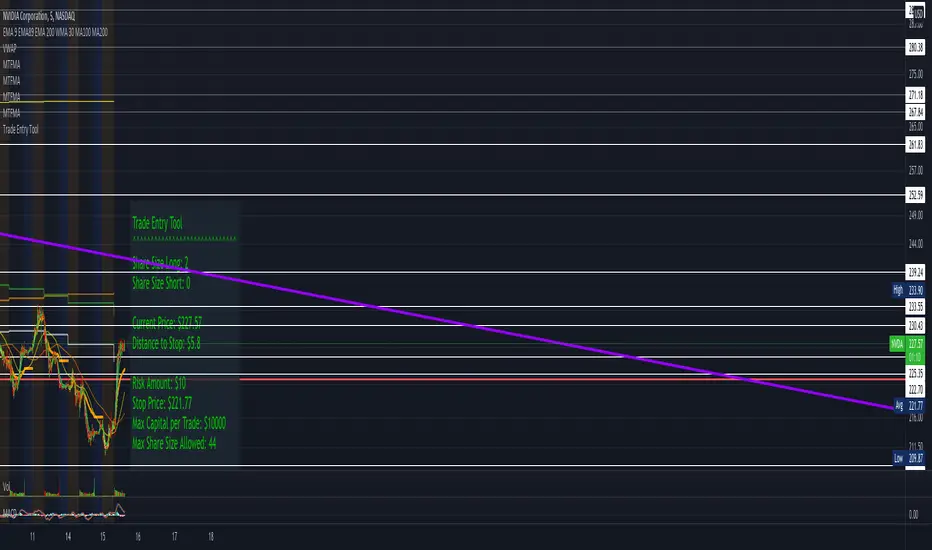
LCDT Trade Entry Tool
Enter the Offset for the X Axis for the Entry Tool.
Enter the Offset for the Y Axis for the Entry Tool.
Enter the Price for your Stop Loss in $.
Enter your desired Risk Amount in $.
Enter the max amount of of Capital per Trade in $.
There are toggle buttons in the setup to reveal/remove more data in the label that pops up, as well as a toggle to make the text larger.
Enter the Offset for the X Axis for the Entry Tool.
Enter the Offset for the Y Axis for the Entry Tool.
Enter the Price for your Stop Loss in $.
Enter your desired Risk Amount in $.
Enter the max amount of of Capital per Trade in $.
There are toggle buttons in the setup to reveal/remove more data in the label that pops up, as well as a toggle to make the text larger.
开源脚本
秉承TradingView的精神,该脚本的作者将其开源,以便交易者可以查看和验证其功能。向作者致敬!您可以免费使用该脚本,但请记住,重新发布代码须遵守我们的网站规则。

免责声明
这些信息和出版物并非旨在提供,也不构成TradingView提供或认可的任何形式的财务、投资、交易或其他类型的建议或推荐。请阅读使用条款了解更多信息。
开源脚本
秉承TradingView的精神,该脚本的作者将其开源,以便交易者可以查看和验证其功能。向作者致敬!您可以免费使用该脚本,但请记住,重新发布代码须遵守我们的网站规则。
免责声明
这些信息和出版物并非旨在提供,也不构成TradingView提供或认可的任何形式的财务、投资、交易或其他类型的建议或推荐。请阅读使用条款了解更多信息。