PROTECTED SOURCE SCRIPT
C320up EMA by Chart Resolution
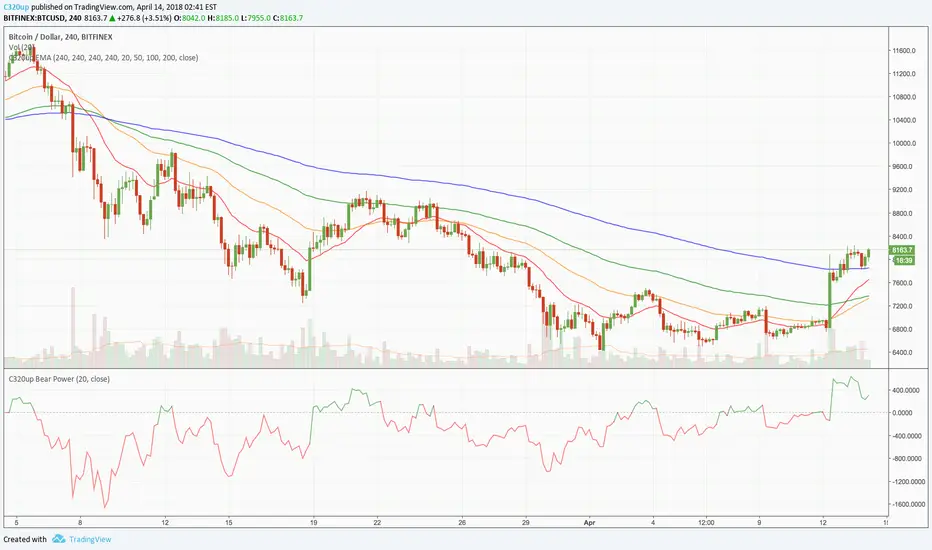
C320up EMA by Chart Resolution
- You may only want your EMA’s to appear on specific chart resolutions.
Use this indicator to select up to four resolutions and four EMA’s.
Sometimes a certain EMA (Exponential Moving Average) doesn’t give a good indication on a smaller time frame or vice versa, so you can customise these to suit.
Default settings are “240” Minutes for all EMA’s to appear.
Default EMA’s are 20, 50, 100, and 200.
To change the resolution, type in one of these examples:
15 = 15 Minutes, 60 = 1 Hour, 240 = 4 Hours, D = Day, W = Week, M = Month, 2M = 2 Months, etc.
You could have just the one EMA appear on multiple time frames, or have 2 appear on 2 time frames, etc.
Check out our scripts page for more indicators.
Any questions, just leave a comment.
- You may only want your EMA’s to appear on specific chart resolutions.
Use this indicator to select up to four resolutions and four EMA’s.
Sometimes a certain EMA (Exponential Moving Average) doesn’t give a good indication on a smaller time frame or vice versa, so you can customise these to suit.
Default settings are “240” Minutes for all EMA’s to appear.
Default EMA’s are 20, 50, 100, and 200.
To change the resolution, type in one of these examples:
15 = 15 Minutes, 60 = 1 Hour, 240 = 4 Hours, D = Day, W = Week, M = Month, 2M = 2 Months, etc.
You could have just the one EMA appear on multiple time frames, or have 2 appear on 2 time frames, etc.
Check out our scripts page for more indicators.
Any questions, just leave a comment.
受保护脚本
此脚本以闭源形式发布。 但是,您可以自由使用,没有任何限制 — 了解更多信息这里。

免责声明
这些信息和出版物并非旨在提供,也不构成TradingView提供或认可的任何形式的财务、投资、交易或其他类型的建议或推荐。请阅读使用条款了解更多信息。
免责声明
这些信息和出版物并非旨在提供,也不构成TradingView提供或认可的任何形式的财务、投资、交易或其他类型的建议或推荐。请阅读使用条款了解更多信息。