OPEN-SOURCE SCRIPT
Plot Closed Candles Only
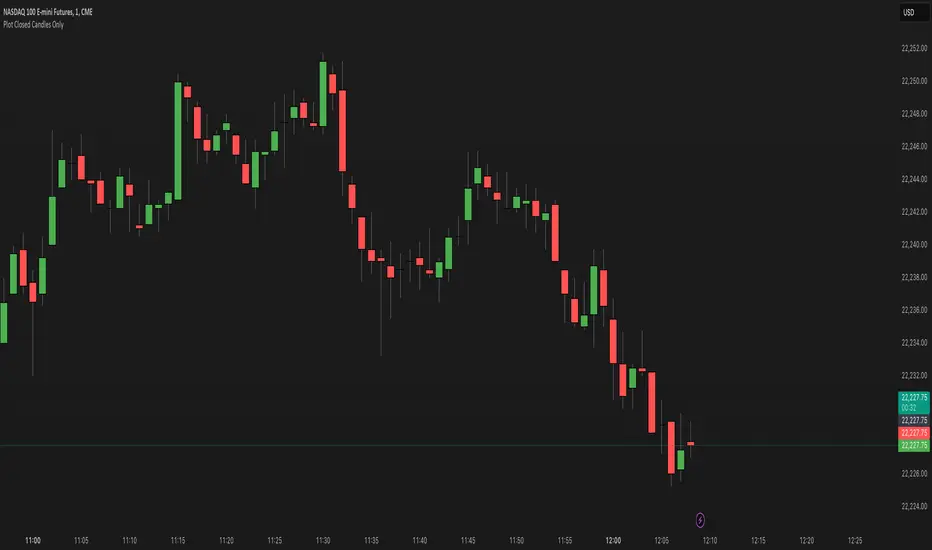
What It Does:
This indicator helps you see candlesticks on your chart only after they are fully closed. It colors the candles based on whether they are bullish (green), bearish (red), or neutral (black/Doji). This way, you can focus on confirmed price movements without the distraction of candles that are still forming.
Key Features:
How to Use:
Why Use It?:
This indicator helps you see candlesticks on your chart only after they are fully closed. It colors the candles based on whether they are bullish (green), bearish (red), or neutral (black/Doji). This way, you can focus on confirmed price movements without the distraction of candles that are still forming.
Key Features:
- Plots Confirmed Candles: Only shows candles after they are fully formed.
Custom Colors: - Green: Bullish candles (close > open).
- Red: Bearish candles (close < open).
- Black: Doji candles (close = open).
- Easy to Use: Simply add the indicator to your chart.
How to Use:
- Add the indicator to your chart.
- Turn off the default candles by:
- Right-clicking on the chart.
- Going to Style > Candles.
- Disabling borders, bodies, and wicks for the default candles.
- Enjoy a cleaner view of confirmed candles with clear color coding!
Why Use It?:
- Helps you focus on confirmed price action.
- Makes it easier to spot bullish, bearish, and neutral candles.
- Great for traders who want to avoid the noise of incomplete candles.
开源脚本
秉承TradingView的精神,该脚本的作者将其开源,以便交易者可以查看和验证其功能。向作者致敬!您可以免费使用该脚本,但请记住,重新发布代码须遵守我们的网站规则。

免责声明
这些信息和出版物并非旨在提供,也不构成TradingView提供或认可的任何形式的财务、投资、交易或其他类型的建议或推荐。请阅读使用条款了解更多信息。
开源脚本
秉承TradingView的精神,该脚本的作者将其开源,以便交易者可以查看和验证其功能。向作者致敬!您可以免费使用该脚本,但请记住,重新发布代码须遵守我们的网站规则。
免责声明
这些信息和出版物并非旨在提供,也不构成TradingView提供或认可的任何形式的财务、投资、交易或其他类型的建议或推荐。请阅读使用条款了解更多信息。