volume 5 min smiley JayyThis script plots volume. Intraday volume forms a smiley high at both ends and low in the middle at least for the cash session which is what this script concerns itself with. I created this as a curiosity but I figure others might be interested. If you are using 5 min charts then it will also plot the average for that particular time slot going back 10, 20 or 30 days and presents the mean for that bar as a black line. It also calculates the standard deviation over that period of time. Clearly the volume data is positively skewed so the mean and standard deviation are a little misleading. That aside it does provide a interesting perspective. The script likely could be reduced in size to accomplish the same thing with less tedium but it is what it is.
I likely will add an option for 15 minutes in the future.
If you are using BATS data you will find errors in low volume stocks because BATS data sometimes misses bars. The calculation relies on 78 5 min bars in a day (9:30 to 16:00 hrs). I built a little checker in the format. If the red line does not show at the beginning of the day then smiley will not work. For example SPY works well but NUGT does not. I have not found an issue will real time data.
There are a few options for bar colouring. They will be obvious when you play with them. current close versus last close, close versus open and volume relative to last bar.
在脚本中搜索"Volume"

Volume Spike DetectorInstantly highlights bars where volume exceeds your chosen threshold (default 150%) of the 20-period SMA.
Normal bars: colored green on up candles, red on down candles (fully customizable)
Spike bars: immediately switch to your chosen high-visibility spike color
Fully adjustable: multiplier, SMA length, normal colors, spike colors, and visibility of SMA & threshold lines
Ideal for:
• Confirming clean VWAP pullbacks and retests
• Validating strong opening drives
• Confirming breakout and ORB volume
• Filtering fakeouts and low-conviction price action
One look at the volume pane tells you exactly when real institutional volume enters the market.
Works on any instrument and any timeframe.

Volume Anomaly AVWAP BiasThis indicator detects volume anomaly candles and tracks their anchored VWAPs. It measures the percentage of following candles that close on the favored side of each anomaly's VWAP and only continues to track anomalies with strong directional bias until broken.

Volume Based Ranges (VBR) [SS]Here is the Volume Based Ranges or VBR indicator.
How it works
The indicator works by:
Sorting volume into buying and selling volume, then
Calculating 2 independent Z-Scores for buying and selling data, then
Identifying the high buying and selling nodes through the use of the Z-score threshold.
Tracks the average target/move based on buying and selling nodes over a designated lookforward horizon (i.e. if you want to see the average move a high selling node happens over 20 candles, you can modify the lookforward horizon to 20).
Calculates the composition from each volume node, displaying the composition information on each line (the % of buying and selling each node contains).
How to Use it
To use this indicator:
Select the Z-Score length of assessment: By default, z-score is 75 and this is usually fine to leave.
Identify the threshold trigger: This will need to be adjusted based on your timeframe. If you are using 1 minute, the data is noiser and you want more profound signals. Thresholds generally in this range should be between 5 - 7. For larger timeframes, you want to relax this threshold, to about 2 to 3. You can toggle in increments of 0.5 to find what works the best. Generally you want to see very rigorous volume node signals instead of tons of them.
Determine what you want to see: You can turn of the support and resistance lines and just have the node identification signals and the return boxes. Or, you can just have the support and resistance lines and turn off the return boxes. You can customize the information the indicator displays in the settings menu to suit what you are most interested in.
Let's look at some examples '
DIS on the hourly. We can see that the average up move from the high buying nodes has a target of 115.42, and in between there we can see the high selling and buying nodes and their compositions.
High buying (100% of the high buying volume) is around the 112.61. This means, you would expect this to be an area of retracement.
We can also see that high selling is just below that at 111.66, which can be a resistance area.
Here is a closer look at the levels specifically:
EPAM on the daily:
You can see a successful retrace back to a high volume node.
Concluding remarks
That's the indicator!
Its one that is best to get a feel for, play around and decide on the settings you like for your individual ticker.
I have included tooltip descriptions for the settings within the indicator as well.
I hope you enjoy it and find it helpful!
Thanks for reading/checking it out and as always, safe trades!

Volume Dry-Up Detector [CANSLIM]by the GPT,
Volume ≤ 50% of 50-day average for ≥3 consecutive days
Highlights the stock as “ready for breakout” (green background + label)
Works on any ticker (WH Group, Smithfield, etc.)

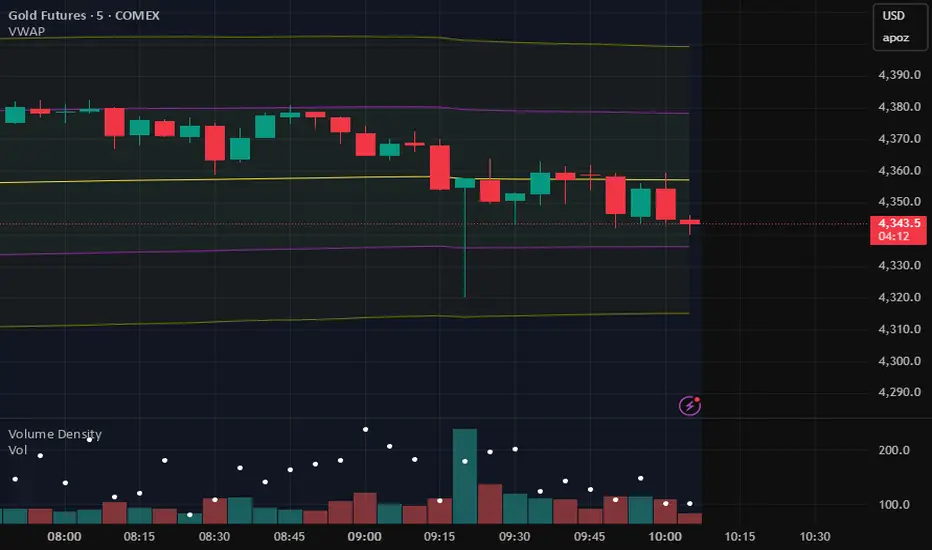
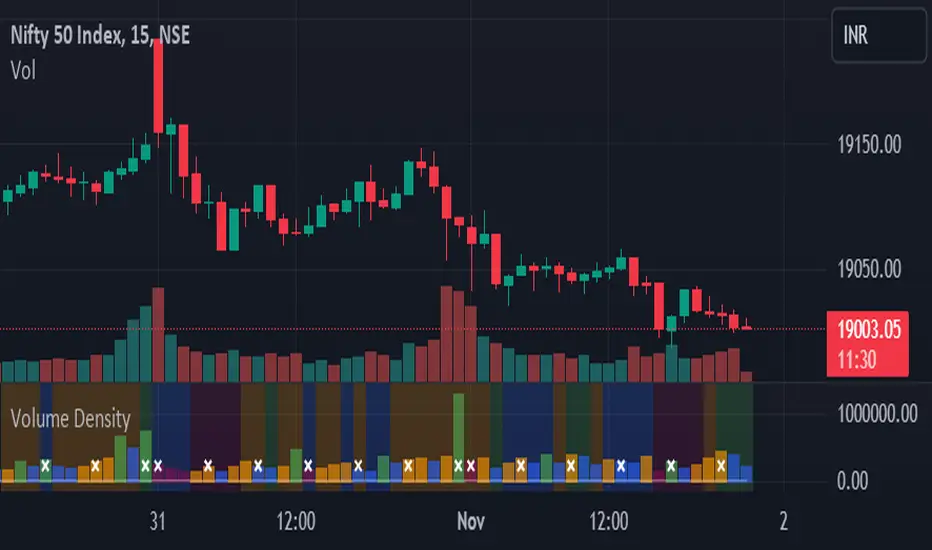
Volume DensityThis indicator calculates the volume density of each bar by dividing the trading volume by the bar's price range (high - low). It highlights bars with higher activity relative to their price movement. Density bars are colored teal if the close is higher than the open, and red if the close is lower. Zero-range bars are ignored to prevent division errors.
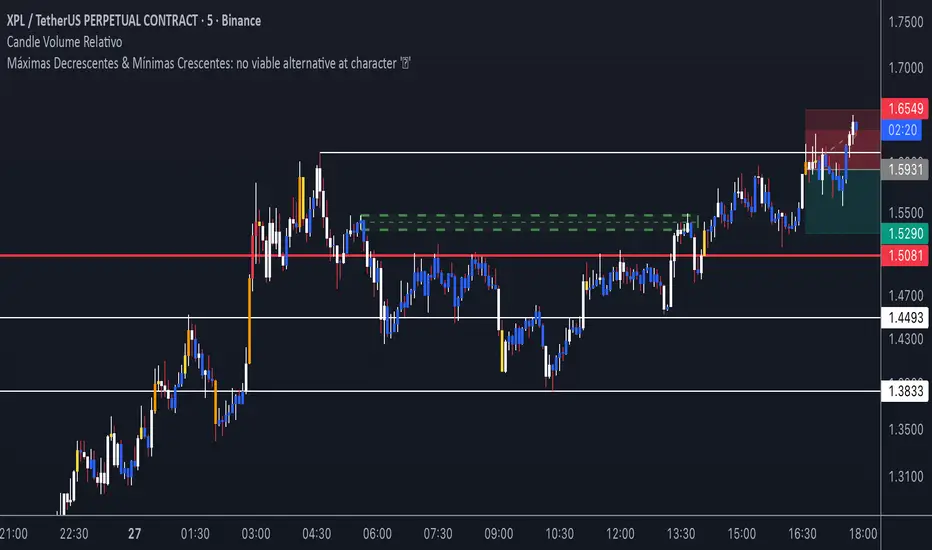
Volume Relativo - Candle Color - CriptoBraboAssinala pela cor do candle o volume relativo. Parametros customizáveis
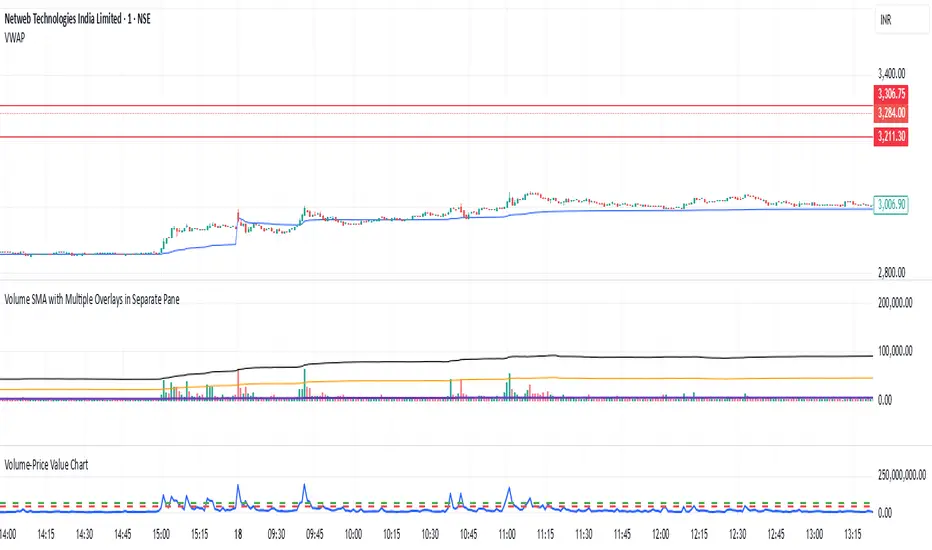
Volume By lCSIt is just a normal volume indicator. The only thing that it does is that it Highlights volume lower than Volume ma.

Volume-Price Value ChartPrice and volume are the two most important part of price movement. So, value which is product of the two is very critical and this can be considered as the only leading indicator.
Volume Cluster AlertThis script is designed to highlight unusual trading volume activity that may be relevant for users analyzing potential shifts in market behavior. It detects significant deviations in volume compared to historical averages and identifies recurring volume patterns within a user-defined timeframe.
When such activity is detected, the indicator displays visual labels above or below the price chart. Labels appearing above the chart (red by default) correspond to specific volume patterns during upward price movement. Labels below the chart (green by default) reflect similar volume behavior during downward movement.
Clusters of labels — especially when multiple of the same color appear within a short period — can be visually useful for observing potential changes in price dynamics. These groupings are meant to support the user’s own analysis and decision-making process.
Users can customize the color of the labels and adjust the sensitivity of the detection parameters to better align with their trading style or chart settings.
Please note: This indicator does not predict market direction or generate trading signals. It is a visual tool that highlights specific volume conditions, which may be interpreted by the user in combination with other technical or analytical methods.

Volume & Turnover HUD DisplayThis indicator highlights the latest candle’s trading activity directly on your chart. It displays the current candle’s volume in a large, easy-to-read format at the bottom-left corner of the screen, ensuring quick visibility without cluttering the chart.
An optional feature (enabled by default) also calculates and shows the turnover, derived from Volume × VWAP, expressed in crores (₹). This helps traders instantly assess both participation and the monetary value being traded in real time.
Ideal for intraday and swing traders who want a clear, at-a-glance view of volume and turnover strength to make faster decisions.

Volume & Turnover HUD DisplayThis indicator displays the latest candle’s volume in a large font at the bottom-left corner of the chart. It also includes an optional feature to show turnover (Volume × VWAP) in crores with the ₹ symbol. Perfect for traders who want a quick, at-a-glance view of market activity.

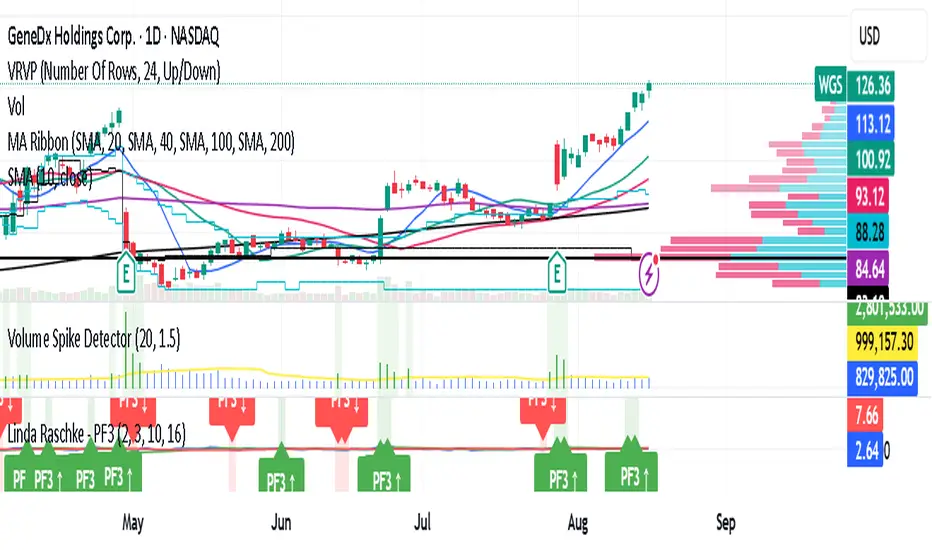
Volume Spike DetectorDetects a spike in Volume . based on volume on tradingviews. It highlights when volume is 1.5X of usual average
Volume Divergence 11192It calculates a custom volume-weighted moving average using the pine_wma() function which takes into account whether each candle is bullish or bearish
It processes volume data through multiple layers of this custom moving average
It detects four types of divergences:
Regular Bullish Divergence: When price makes a lower low but volume makes a higher low (potential bullish reversal)
Hidden Bullish Divergence: When price makes a higher low but volume makes a lower low (potential bullish continuation)
Regular Bearish Divergence: When price makes a higher high but volume makes a lower high (potential bearish reversal)
Hidden Bearish Divergence: When price makes a lower high but volume makes a higher high (potential bearish continuation)
It visualizes these divergences on the chart with colored markers and labels

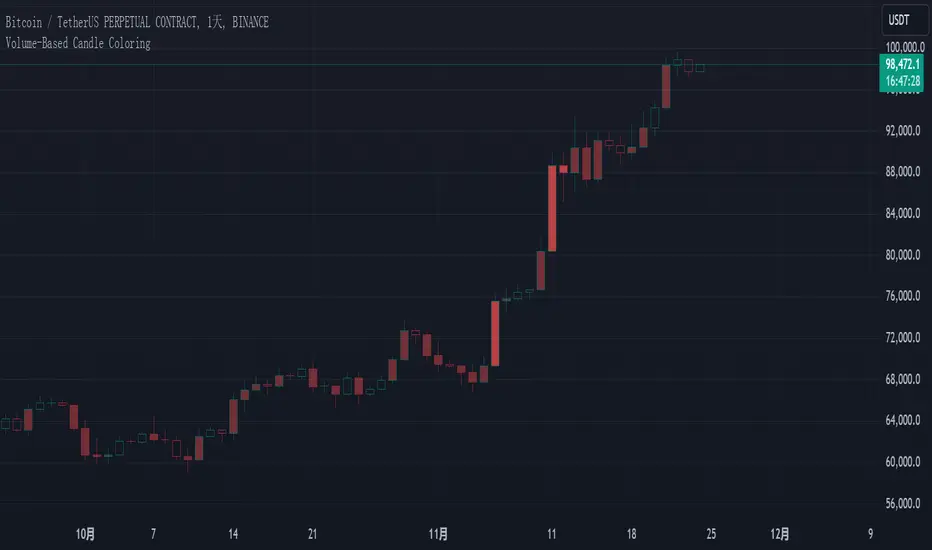
Volume-Based Candle Coloringk线会根据当前成交量高低产生渐变色,帮助你更轻松识别重要的k线。
请使用空心蜡烛图,否则该指标无法显示。
The candlestick colors will transition based on the current trading volume, making it easier for you to identify significant candlesticks.
Please use hollow candlesticks; otherwise, this indicator will not display properly.
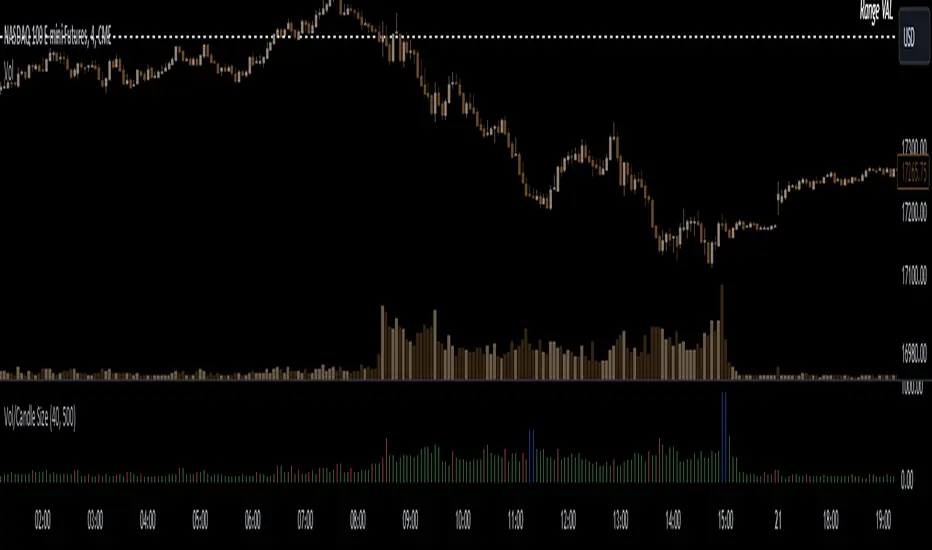
Volume to Candle Size RatioThe "Volume to Candle Size Ratio" indicator calculates the ratio of volume to candle size for any time-based candles. It offers user-defined thresholds for percentage change and absolute value, coloring histogram bars based on whether the ratio or percentage increase exceeds specified thresholds. This indicator helps traders visualize volume dynamics relative to candle size, aiding in identifying potential trading opportunities.
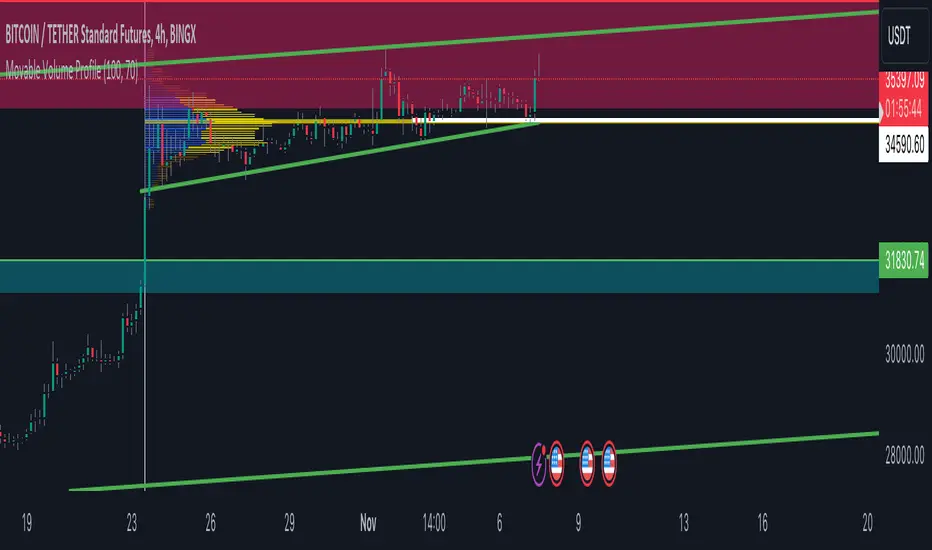
Volume Profile Movable RangeA movable range volume profile indicator is an advanced technical analysis tool that offers traders the flexibility to customize the start date from which the indicator's calculation begins. This feature is particularly valuable for investors who wish to focus on specific time periods and gain a more detailed understanding of price and volume movements within those intervals.
The primary advantage of this indicator lies in its intuitive movable bar, which allows users to easily adjust the start date on the chart. By dragging this bar forward or backward along the time axis, the volume profile calculation is automatically updated to reflect the newly selected date range. This provides traders with a unique ability to adapt to changing market conditions and adjust their analysis in real-time.
By customizing the start date, investors can explore patterns, trends, and support/resistance levels within specific timeframes more accurately and timely. Furthermore, this indicator offers a detailed interpretation of trading volume, aiding traders in assessing the strength or weakness of trends, identifying potential entry and exit points, and making informed decisions in their trading strategies.
In summary, a movable range volume profile indicator is an essential tool for traders seeking more adaptable and precise technical analysis. The ability to easily select and adjust the start date through a movable bar on the chart provides a significant advantage when making data-driven, personalized decisions in financial markets.
Volume DensityScript calculates the amount of volume involved per unit price and is colored based on its previous value. An increasing value along with a suitable price action indicates that there is more supply at that level and could be a potential reversal, a decreasing value indicates that there is less supply and the scrip may be in momentum or having a breakout.
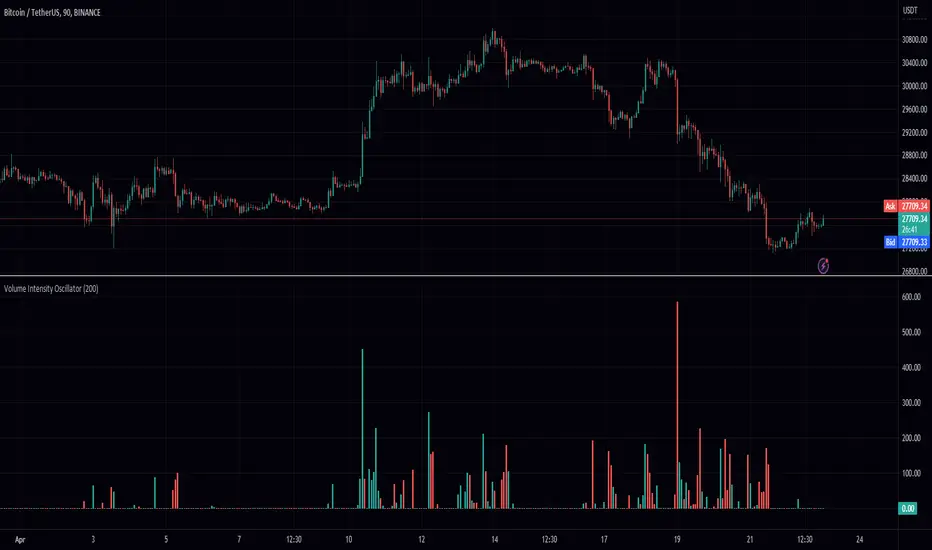
Volume Intensity OscillatorIntroducing the "Volume Intensity Oscillator" indicator, an advanced tool that utilizes the PeacefulIndicators library to gauge market volume intensity. This innovative indicator is designed to help traders identify potential market trends and improve their trading analysis.
The Volume Intensity Oscillator offers the following key features:
Adjustable input parameters, enabling you to modify the length and the option to remove negative values according to your trading preferences.
A visually appealing display, with the Volume Intensity Oscillator represented as columns in different colors based on the direction of the market movement (red for bearish and green for bullish).
Powered by the rvo function from the PeacefulIndicators library, the core functionality of the Volume Intensity Oscillator ensures accurate and reliable results.
To integrate the Volume Intensity Oscillator into your trading analysis, simply add the script to your chart and customize the input parameters as needed. We hope this script, built upon the PeacefulIndicators library, becomes a valuable asset to your trading strategy.
Volume StrikeVolume Strike
This custom non-repainting indicator is based on an extremely simple strategy we came up with using only the default Volume indicator and key price levels.
We’ll start by explaining the time settings. You will see 4 of them.
The 2 times on the left represent the closed-volume candles at those times.
The 2 times on the right MUST be 1 minute after the times on the left. This is just a technicality based on pine script, so you can ignore the reasoning behind It. Just make sure these times are always 1 minute after the times on the left.
How signals are plotted
-If Volume 1 is higher than Volume 2, we are bullish
-If Volume 1 is lower than Volume 2, we are bearish
It's that simple! We added key price levels to also limit where to display trades. So if you only enable "Quarter Levels", this means trades will only be entered at or around Quarter Levels based on the "Price Offset" you enter.
Rounding Value: This is to help determine where to start marking Whole Levels.
Example: You’re trading USDJPY. The rounding value will be 10. The reasoning for this is that every $10 movement in price is equivalent to 1,000 pips, so a half level is 500 pips, and a quarter level is 250 pips. For a pair such as NAS100, we’ll use a rounding value of 1,000.
Price offset: This is to only show trades X price or less away from the enabled levels.
Example: You're trading NAS100 and enter 100 for the "Price Offset" setting. This means trades will only be displayed within a $100 price of the levels you selected. Keep in mind, if no levels are selected the Price Offset setting is disabled by default, and if Price Offset is 0, the levels are disabled by default, and trades will be displayed regardless if it's around a key price level or not.
Risk Management
We added several options to choose from for determining your SL and TP.
TP: Price, Percent or Next Level
SL: Price or Percent
Next Level: This option is only available for TP. Next level is just how it sounds, the next level in the direction of your trade. Keep in mind, if price is too close to the level, it’ll skip that one and set your TP at the next level.
Inverse Signals: This was added in case you find a losing strategy. You can inverse the trades to potentially have a winning strategy
Position Tool: This will display boxes on the cart with the price of your SL + TP, and the % movement in price of your SL + TP
An example of settings we are using for NAS100 are below:
NAS100. M15
09:30 - 09:31
12:00 - 12:01
MA Filter = 5
Rounding Value = 1,000
Price Offset = 0
Target = 100 price
Stop loss = 100 price

volume force [EF]Displays the volume and highlights the effort in a different color the one that is larger than the previous two
Усилие объема. Отображает объем и выделяет усилие другим цветом тот который больше предыдущих двух

Volume - MtGoxFXbull / bear volume with weighted moving average
bull / bear volume with weighted moving average

Volume ScalingVolume Scaling Indicator
Objective - Use for entry action filter
Description - Volume Scaling is the introduction of volume to scaling it into 1 Standard deviation. Since the volume scaling in general has a wide distribution of data, we need to scaling the data to reduce fragmentation.
Applications - The principle of Volume Scaling is to use it as an order action filter when the value of the volume scaling crosses above zero.
Recommendation - Volume Scaling should be used in conjunction with indicators used to filter trend. for example Supertrend, Parabolic Sar
