Deep AILibrary "Deeptest"
Comprehensive quantitative backtesting library with 112+ metrics: Sharpe/Sortino ratios, drawdown analysis, Monte Carlo simulation, Walk-Forward Analysis, VaR/CVaR, benchmark comparison, and interactive table rendering for TradingView strategies
@version 1.0.1 (01.01.2026)
============================================================================
CHANGELOG
============================================================================
v1.0.1 (01.01.2026)
- Added textSize parameter to runDeeptest() for controlling table text size
- New values: size.auto, size.small, size.tiny, size.normal, size.large
- Applies to all tables: main, stress test, drawdowns, recoveries, trades
v1.0.0 (31.12.2025)
- Initial release
- 112+ backtesting metrics
- Monte Carlo simulation and Walk-Forward Analysis
- Interactive table rendering with tooltips
============================================================================
TABLE OF CONTENTS
============================================================================
SECTION 1: File Header & Metadata
SECTION 2: Constants & Configuration
SECTION 3: Type Definitions
SECTION 4: Core Calculation Functions - Array Utilities
SECTION 5: Core Calculation Functions - Return Extraction
SECTION 6: Core Calculation Functions - Sharpe & Sortino
SECTION 7: Core Calculation Functions - Performance Metrics
SECTION 8: Core Calculation Functions - Drawdown Analysis
SECTION 9: Core Calculation Functions - Recovery Analysis
SECTION 10: Core Calculation Functions - Trade Analysis
SECTION 11: Core Calculation Functions - Statistical Distribution
SECTION 12: Core Calculation Functions - Risk Metrics
SECTION 13: Core Calculation Functions - Benchmark Comparison
SECTION 14: Core Calculation Functions - Time-Based Metrics
SECTION 15: Core Calculation Functions - Rolling Statistics
SECTION 16: Core Calculation Functions - Strategy Integration
SECTION 17: Core Calculation Functions - Walk Forward Analysis
SECTION 18: Core Calculation Functions - Monte Carlo Simulation
SECTION 19: Core Calculation Functions - Out-of-Sample Analysis
SECTION 20: Formatting Utilities - Value Formatting
SECTION 21: Formatting Utilities - Duration Formatting
SECTION 22: Formatting Utilities - Frequency Formatting
SECTION 23: Formatting Utilities - Date Formatting
SECTION 24: Tooltip Builders - Main Table Metrics
SECTION 25: Tooltip Builders - Complementary Metrics
SECTION 26: Tooltip Builders - Stress Test Metrics
SECTION 27: Tooltip Builders - Period Analysis Cards
SECTION 28: Table Rendering - Structure Helpers
SECTION 29: Table Rendering - Main Deeptest Table
SECTION 30: Table Rendering - Cell Renderers - Complementary Row
SECTION 31: Table Rendering - Stress Test Table
SECTION 32: Table Rendering - Period Analysis Cards
SECTION 33: Main Entry Point
============================================================================
API REFERENCE
============================================================================
Main Export:
------------
runDeeptest() - Complete backtest analysis orchestrator
============================================================================
KEY FEATURES
============================================================================
- Comprehensive backtesting metrics (112+ functions)
- Rolling window analysis with statistical distributions
- Advanced risk metrics (Sharpe, Sortino, Calmar, Martin, VaR, CVaR)
- Drawdown and recovery analysis
- Monte Carlo simulation and Walk-Forward Analysis
- Trade analysis (top/worst trades, consecutive streaks)
- Benchmark comparison (Alpha, Beta, R², Buy & Hold)
- Interactive table rendering with tooltips
============================================================================
USAGE EXAMPLE
============================================================================
╔══════════════════════════════════════════════════════════════════════════════╗
║ PROGRESSIVE USAGE EXAMPLES ║
╠══════════════════════════════════════════════════════════════════════════════╣
║ Three examples demonstrating increasing complexity: ║
║ 1. MINIMAL - "Hello World" with basic MA crossover ║
║ 2. BALANCED - Production ready with risk management & filters ║
║ 3. PROFESSIONAL - Full-featured with trailing stops & session filters ║
╚══════════════════════════════════════════════════════════════════════════════╝
╔══════════════════════════════════════════════════════════════════════════════╗
║ EXAMPLE 1: MINIMAL (The "Hello World") ║
╠══════════════════════════════════════════════════════════════════════════════╣
║ The simplest possible integration - just 3 lines to get started: ║
║ 1. Import the library ║
║ 2. Write your strategy logic ║
║ 3. Call runDeeptest() ║
╚══════════════════════════════════════════════════════════════════════════════╝
//@version=6
strategy("MA Crossover ", overlay=true)
// ═══════════════════════════════════════════════════════════════════════════
// ⮟ Import Deeptest (Direct import - no namespace prefix needed)
// ═══════════════════════════════════════════════════════════════════════════
import Fractalyst/Deeptest/1 as *
// ────────────────────────────────────────────────────────────────────────────
// Strategy Logic: Simple Moving Average Crossover
// ────────────────────────────────────────────────────────────────────────────
fastMA = ta.sma(close, 10) // Fast MA: 10 periods
slowMA = ta.sma(close, 30) // Slow MA: 30 periods
// Plot MAs for visualization
plot(fastMA, "Fast MA", color=color.blue)
plot(slowMA, "Slow MA", color=color.orange)
// Entry: Long when fast MA crosses above slow MA
if ta.crossover(fastMA, slowMA)
strategy.entry("Long", strategy.long)
// Exit: Close when fast MA crosses below slow MA
if ta.crossunder(fastMA, slowMA)
strategy.close("Long")
// ═══════════════════════════════════════════════════════════════════════════
// ⮟ Run backtest analysis (all parameters use smart defaults)
// ═══════════════════════════════════════════════════════════════════════════
DT.runDeeptest()
╔══════════════════════════════════════════════════════════════════════════════╗
║ EXAMPLE 2: BALANCED (Production Ready) ║
╠══════════════════════════════════════════════════════════════════════════════╣
║ Adds essential production features: ║
║ • User-configurable inputs ║
║ • ADX trend filter to avoid choppy markets ║
║ • Stop loss / Take profit for risk management ║
║ • Custom backtest parameters ║
╚══════════════════════════════════════════════════════════════════════════════╝
//@version=6
strategy("MA Crossover ", overlay=true)
import Fractalyst/Deeptest/1 as *
// ────────────────────────────────────────────────────────────────────────────
// INPUT PARAMETERS
// ────────────────────────────────────────────────────────────────────────────
fastLen = input.int(10, "Fast MA Period", minval=1)
slowLen = input.int(30, "Slow MA Period", minval=1)
riskPct = input.float(2.0, "Risk %", minval=0.1) / 100
slPct = input.float(5.0, "Stop Loss %", minval=0.1) / 100
tpPct = input.float(10.0, "Take Profit %", minval=0.1) / 100
adxThresh = input.int(20, "ADX Trend Threshold")
// ────────────────────────────────────────────────────────────────────────────
// INDICATORS
// ────────────────────────────────────────────────────────────────────────────
fastMA = ta.sma(close, fastLen)
slowMA = ta.sma(close, slowLen)
adx = ta.adx(14)
= ta.dmi(14, 14)
// ────────────────────────────────────────────────────────────────────────────
// FILTERS
// ────────────────────────────────────────────────────────────────────────────
trendConfirmed = adx > adxThresh and diPlus > diMinus
// ────────────────────────────────────────────────────────────────────────────
// STRATEGY LOGIC
// ────────────────────────────────────────────────────────────────────────────
// Entry: MA crossover + trend confirmation
if ta.crossover(fastMA, slowMA) and trendConfirmed
strategy.entry("Long", strategy.long)
// Exit: MA crossunder
if ta.crossunder(fastMA, slowMA)
strategy.close("Long")
// Risk management: Stop loss and take profit
if strategy.position_size > 0
strategy.exit("RM", "Long",
stop=strategy.position_avg_price * (1 - slPct),
limit=strategy.position_avg_price * (1 + tpPct))
// ═══════════════════════════════════════════════════════════════════════════
// ⮟ Run backtest with custom parameters
// ═══════════════════════════════════════════════════════════════════════════
DT.runDeeptest(
riskPerTrade = 1.0, // ← 1% risk per trade
targetMaxDDPct = 15.0, // ← 15% max drawdown target
showStressTest = true, // ← Enable stress test table
showPeriodCards = true, // ← Enable period cards
wfaWindows = 12, // ← Walk-forward windows
mcSimulations = 1000, // ← Monte Carlo runs
bullColor = color.new(#00b9ff, 0),
bearColor = color.new(#ff0051, 0),
benchmarkSymbol = "SPX", // ← Compare to S&P; 500
periodCardMode = "drawdowns", // ← Show drawdown periods
tradeSortBy = "return" // ← Sort by return %
)
╔══════════════════════════════════════════════════════════════════════════════╗
║ EXAMPLE 3: PROFESSIONAL (Full-Featured) ║
╠══════════════════════════════════════════════════════════════════════════════╣
║ Complete professional implementation: ║
║ • Organized input groups for better UX ║
║ • Multiple filters: ADX trend, ATR volatility, Session timing ║
║ • Trailing stop to lock in profits ║
║ • Position highlighting for visual feedback ║
║ • Full parameter customization with inline documentation ║
╚══════════════════════════════════════════════════════════════════════════════╝
//@version=6
runDeeptest(targetMaxDDPct, bullColor, bearColor, tableBg, headerBg, borderColor, textPrimary, textMuted, textSize, showComplementaryRow, showStressTestTable, showDrawdownRecoveryCards, showTradeCards)
Parameters:
targetMaxDDPct (float)
bullColor (color)
bearColor (color)
tableBg (color)
headerBg (color)
borderColor (color)
textPrimary (color)
textMuted (color)
textSize (string)
showComplementaryRow (bool)
showStressTestTable (bool)
showDrawdownRecoveryCards (bool)
showTradeCards (bool)
ThresholdConfig
ThresholdConfig - Configuration for metric thresholds and corresponding colors
Fields:
sharpeExc (series float)
sharpeGood (series float)
sharpeOk (series float)
sharpeBear (series color)
sharpeNeutral (series color)
sharpeOrange (series color)
sharpeBull (series color)
ddSevere (series float)
ddMod (series float)
ddMild (series float)
ddSevereColor (series color)
ddModColor (series color)
ddOrange (series color)
ddGoodColor (series color)
rorHigh (series float)
rorMod (series float)
rorLow (series float)
rorHighColor (series color)
rorModColor (series color)
rorOrange (series color)
rorLowColor (series color)
r2Poor (series float)
r2Mod (series float)
r2Good (series float)
r2PoorColor (series color)
r2ModColor (series color)
r2Orange (series color)
r2GoodColor (series color)
kurtHigh (series float)
kurtMod (series float)
kurtOk (series float)
kurtHighColor (series color)
kurtModColor (series color)
kurtOrange (series color)
kurtGoodColor (series color)
skewVNeg (series float)
skewModNeg (series float)
skewPos (series float)
skewVPos (series float)
skewVNegColor (series color)
skewModNegColor (series color)
skewNeutral (series color)
skewPosColor (series color)
payoffPoor (series float)
payoffBE (series float)
payoffGood (series float)
payoffPoorColor (series color)
payoffBEColor (series color)
payoffOrange (series color)
payoffGoodColor (series color)
pfPoor (series float)
pfBE (series float)
pfGood (series float)
pfPoorColor (series color)
pfBEColor (series color)
pfOrange (series color)
pfGoodColor (series color)
ulcerHigh (series float)
ulcerLow (series float)
ulcerHighColor (series color)
ulcerModColor (series color)
ulcerOrange (series color)
ulcerLowColor (series color)
wrLow (series float)
wrOk (series float)
wrHigh (series float)
wrLowColor (series color)
wrOkColor (series color)
wrOrange (series color)
wrHighColor (series color)
cagrPoor (series float)
cagrOk (series float)
cagrGood (series float)
cagrPoorColor (series color)
cagrOkColor (series color)
cagrOrange (series color)
cagrGoodColor (series color)
pInsig (series float)
pMod (series float)
pSig (series float)
pInsigColor (series color)
pModColor (series color)
pOrange (series color)
pSigColor (series color)
calmarPoor (series float)
calmarBE (series float)
calmarGood (series float)
calmarPoorColor (series color)
calmarBEColor (series color)
calmarOrange (series color)
calmarGoodColor (series color)
betaHigh (series float)
betaLow (series float)
betaHighColor (series color)
betaLowColor (series color)
betaGoodColor (series color)
Stats
Stats - Comprehensive backtest statistics container
Fields:
totalTrades (series int)
winTrades (series int)
lossTrades (series int)
evenTrades (series int)
winRate (series float)
lossRate (series float)
avgWinPct (series float)
avgLossPct (series float)
avgTradePct (series float)
profitFactor (series float)
payoffRatio (series float)
expectancy (series float)
grossProfit (series float)
grossLoss (series float)
netProfit (series float)
netProfitPct (series float)
compEffect (series float)
sharpe (series float)
sortino (series float)
calmar (series float)
martin (series float)
maxDrawdown (series float)
maxDrawdownPct (series float)
currentDrawdown (series float)
currentDrawdownPct (series float)
avgDrawdownPct (series float)
maxEquity (series float)
minEquity (series float)
cagr (series float)
monthlyReturn (series float)
maxConsecWins (series int)
maxConsecLosses (series int)
avgTradeDuration (series float)
avgWinDuration (series float)
avgLossDuration (series float)
timeInMarketPct (series float)
tradesPerMonth (series float)
tradesPerYear (series float)
skewness (series float)
kurtosis (series float)
var95 (series float)
cvar95 (series float)
ulcerIndex (series float)
riskOfRuin (series float)
pValue (series float)
zScore (series float)
alpha (series float)
beta (series float)
buyHoldReturn (series float)
equityRSquared (series float)
firstTradeTime (series int)
lastTradeTime (series int)
tradingPeriodDays (series float)
RollingWindowSummary
RollingWindowSummary - Summary of metrics for a single rolling analysis window
Fields:
windowIndex (series int)
startTrade (series int)
endTrade (series int)
effectiveCount (series int)
minValue (series float)
maxValue (series float)
metricValue (series float)
RollingStats
RollingStats - Statistical distribution of rolling window metrics
Fields:
windowSize (series int) : Number of trades in rolling window
expectancyMin (series float) : Minimum rolling expectancy
expectancyMax (series float) : Maximum rolling expectancy
sharpeMin (series float) : Minimum rolling Sharpe
sharpeMax (series float) : Maximum rolling Sharpe
sortinoMin (series float) : Minimum rolling Sortino
sortinoMax (series float) : Maximum rolling Sortino
expectancyWindows (array) : Per-window summaries for expectancy
sharpeWindows (array) : Per-window summaries for Sharpe
sortinoWindows (array) : Per-window summaries for Sortino
expectancyMean (series float) : Mean expectancy across rolling windows
expectancyStdDev (series float) : Standard deviation of expectancy
expectancyPct90 (series float) : 90th percentile expectancy
expectancyPct50 (series float) : 50th percentile expectancy (median)
expectancyPct10 (series float) : 10th percentile expectancy
sharpeMean (series float) : Mean Sharpe across rolling windows
sharpeStdDev (series float) : Standard deviation of Sharpe
sharpePct90 (series float) : 90th percentile Sharpe
sharpePct50 (series float) : 50th percentile Sharpe
sharpePct10 (series float) : 10th percentile Sharpe
sortinoMean (series float) : Mean Sortino across rolling windows
sortinoStdDev (series float) : Standard deviation of Sortino
sortinoPct90 (series float) : 90th percentile Sortino
sortinoPct50 (series float) : 50th percentile Sortino
sortinoPct10 (series float) : 10th percentile Sortino
Strategies

Vantage_NewsVantage News is a Pine Script library that provides pre-market economic event filtering defaults intended for strategies that trade on YM futures. It determines a default for whether trading should be blocked, delayed, or allowed on any given day.
Core Concept
News events are pre-compiled into Pine Script data libraries organized by half-year (LO1_News2025H1, LO1_News2025H2, etc.), updated weekly on Sundays. There are no API calls — events are baked into arrays of dates, times, type IDs, and severities.
Severity System
Can be configured to define or override three default severity tiers:
- Sev 3 (CPI, NFP, FOMC) — defaults to blocks the entire day or delays, depending on policy
- Sev 2 (ISM PMI, claims) — defaults to delay trading until the event time + a configurable post-delay window
- Sev 1 (secondary indicators) — defaults to no delays
Blocking vs Delaying
- Block: No trading for the full session. WillTradeToday() returns false.
- Delay: Trading allowed after eventTime + delayMinutes. IsDelayed(currentTimeMs) returns true until the release time passes.
Provides a per-event-type policy mechanism so overrides can force any event to block, delay, or be ignored regardless of its base severity.
Next Trading Window Calculation
FindNextTradingWindow() scans forward up to 14 days, skipping weekends and blocked days based on the provided configuration. If the next tradeable day has a delay, it returns the delayed start time — so an info panel can show e.g. "Mon 7:35 AM" to indicate the next trading opening
Exception Mappings
Each half-year library can ship per-event-type overrides (different severity, custom delay minutes, tags). When the applyLibExceptionMappings configuration is enabled, these override the base severity — allowing the data to carry date-specific adjustments.
Special Handling
CME early close days are encoded as a special event type. CheckCmeEarlyClose() returns a halt timestamp so a strategy can truncate the session.
Caching
Evaluation is lazy and memoized by date string — EvaluateForDate() only recomputes when the date changes. The event cache is built once at initialization via a day index for fast date lookups.

TPOSmartMoneyLibLibrary "TPOSmartMoneyLib"
Library for TPO (Time Price Opportunity) and Smart Money concepts including session management, PDH/PDL detection, sweeping logic, and volume profile utilities
f_price_to_tick(p)
Convert price to tick
Parameters:
p (float) : Price value
Returns: Tick value
f_tick_to_row(t, row_ticks_in)
Convert tick to row
Parameters:
t (int) : Tick value
row_ticks_in (int) : Number of ticks per row
Returns: Row index
f_row_to_price(row, row_ticks_in)
Convert row to price (midpoint)
Parameters:
row (int) : Row index
row_ticks_in (int) : Number of ticks per row
Returns: Price at row midpoint
f_calc_row_ticks(natr_ref, row_gran_mult)
Calculate dynamic row size based on normalized ATR
Parameters:
natr_ref (float) : Daily normalized ATR reference value
row_gran_mult (float) : Row granularity multiplier
Returns: Number of ticks per row
f_more_transp_pct(c, pct)
Increase color transparency by percentage
Parameters:
c (color) : Input color
pct (float) : Percentage to increase transparency (0.0 to 1.0)
Returns: Color with increased transparency
f_dom_color(dom, buy_col, sell_col, gamma, transp_weak, transp_strong)
Calculate dominance color based on buy/sell ratio
Parameters:
dom (float) : Dominance ratio (-1 to 1, negative = sell, positive = buy)
buy_col (color) : Buy dominant color
sell_col (color) : Sell dominant color
gamma (float) : Gamma correction for color intensity
transp_weak (int) : Transparency for weak dominance
transp_strong (int) : Transparency for strong dominance
Returns: Blended color
f_sess_part(sess_str, get_start)
Parse session string to get start or end time
Parameters:
sess_str (string) : Session string in format "HHMM-HHMM"
get_start (bool) : True to get start time, false to get end time
Returns: Time string in HHMM format
f_hhmm_to_h(hhmm)
Convert HHMM string to hours
Parameters:
hhmm (string) : Time string in HHMM format
Returns: Hours (0-23)
f_hhmm_to_m(hhmm)
Convert HHMM string to minutes
Parameters:
hhmm (string) : Time string in HHMM format
Returns: Minutes (0-59)
f_prev_day_window_bounds(today_day_rth, win_start, win_end, session_tz)
Calculate previous day window bounds
Parameters:
today_day_rth (int) : Today's RTH start timestamp
win_start (string) : Window start time in HHMM format
win_end (string) : Window end time in HHMM format
session_tz (string) : Session timezone
Returns: Tuple of
f_default_session_colors()
Get default session colors
Returns: Array of 4 colors
f_session_names()
Get session names
Returns: Array of 4 session names
f_process_hl(arr, rng, keep_bars, lock_to_live)
Process high/low lines with sweeping detection
Parameters:
arr (array) : Array of HLLine objects
rng (float) : Price range for visibility filtering
keep_bars (int) : Maximum bars to keep lines
lock_to_live (bool) : Whether to lock line end to current bar
Returns: 0 (for chaining)
f_process_naked_lines(arr, calc_bars, bars_per_day, keep_to_day_end)
Process naked lines (POC/VAH/VAL) with sweeping detection
Parameters:
arr (array) : Array of NakedLine objects
calc_bars (int) : Maximum calculation bars
bars_per_day (int) : Bars per day for scope calculation
keep_to_day_end (bool) : Whether to extend to day end
Returns: 0 (for chaining)
f_update_pdhl_lines(pd_hl, pdh, pdl, new_day, pd_rng, bars_per_day, pdh_color, pdl_color)
Detect and create PDH/PDL lines
Parameters:
pd_hl (array) : Array to store HLLine objects
pdh (float) : Previous day high
pdl (float) : Previous day low
new_day (bool) : Whether it's a new day
pd_rng (float) : Price range for visibility
bars_per_day (int) : Bars per day
pdh_color (color) : PDH line color
pdl_color (color) : PDL line color
Returns: 0 (for chaining)
f_poc_from_vals(keys, vals)
Calculate POC from sorted keys and values
Parameters:
keys (array) : Sorted array of row keys
vals (array) : Array of volume values
Returns: POC row key
f_value_area(keys, vals, poc_key, va_pct)
Calculate Value Area from volume distribution
Parameters:
keys (array) : Sorted array of row keys
vals (array) : Array of volume values
poc_key (int) : POC row key
va_pct (float) : Value Area percentage (typically 0.70)
Returns: Tuple of
f_find_key_sorted(keys, target)
Find key in sorted array using binary search
Parameters:
keys (array) : Sorted array of keys
target (int) : Target key to find
Returns: Index of key, or -1 if not found
f_zscore_safe(x, len)
Safe z-score calculation using built-in functions
Parameters:
x (float) : Input series
len (int) : Lookback length
Returns: Z-score
HLLine
Represents a high/low line with sweeping detection
Fields:
ln (series line) : Line object
lb (series label) : Label object
lvl (series float) : Price level
startBar (series int) : Bar index where line starts
swept (series bool) : Whether the level has been swept
isHigh (series bool) : True if this is a high, false if low
col (series color) : Line color
NakedLine
Represents a naked POC/VAH/VAL line
Fields:
ln (series line) : Line object
lb (series label) : Label object
lvl (series float) : Price level
startBar (series int) : Bar index where line starts
swept (series bool) : Whether the level has been swept
sweptBar (series int) : Bar index where swept occurred
endBar (series int) : Bar index where line should end

LiveTracker by N&MLiveTracker is a real-time trade execution and accounting engine built on top of statistically validated backtest states.
It mirrors live trading conditions with precise fee modeling, partial take-profits, trailing stops, and liquidation logic.
Each trade is tracked with both mark-to-market PnL and “net if closed now” metrics for full transparency.
Designed as a modular Pine Script® library, it enables reliable, state-driven live execution without repainting.

TradingHelperLibLibrary "TradingHelperLib"
Trading Helper Library - Limit order, pip calculation and utility functions for trading bots
f_pipValue()
Calculates pip value based on symbol info
Returns: Pip value
f_pipsToPrice(pips)
Converts pip count to price difference
Parameters:
pips (float) : Number of pips
Returns: Price difference
calcExpireBarCount(minutesToExpire)
Converts minutes to bar count based on timeframe
Parameters:
minutesToExpire (float) : Duration in minutes
Returns: Bar count
calcLimitPrice(isLong, signalPrice, deviation, deviationType)
Calculates limit order price with deviation
Parameters:
isLong (bool) : True for long, false for short
signalPrice (float) : Signal price
deviation (float) : Deviation amount
deviationType (string) : Deviation type ("USDT" or "%")
Returns: Limit price
checkLimitFill(isLong, limitPrice)
Checks if limit order is filled
Parameters:
isLong (bool) : True for long, false for short
limitPrice (float) : Limit price to check
Returns: True if filled
f_multiplier(lvl, mode)
Calculates DCA multiplier based on level and mode
Parameters:
lvl (int) : DCA level
mode (string) : Multiplier mode ("Sabit", "Fibonacci", "Martingale", etc.)
Returns: Multiplier value
f_pctToPrice(pct, basePrice)
Converts percentage value to price difference
Parameters:
pct (float) : Percentage value (e.g. 2.0 = 2%)
basePrice (float) : Reference price
Returns: Price difference
f_priceChange_toPct(priceChange, basePrice)
Converts price change to percentage
Parameters:
priceChange (float) : Price difference
basePrice (float) : Reference price
Returns: Percentage value
calcMargin(notional, leverage)
Calculates margin from notional value
Parameters:
notional (float) : Trade size (e.g. $1000)
leverage (int) : Leverage value (e.g. 100)
Returns: Margin value
calcNotional(margin, leverage)
Calculates notional from margin
Parameters:
margin (float) : Collateral value
leverage (int) : Leverage value
Returns: Notional value
calcLiqPriceLongSimple(avgPrice, leverage)
Calculates simple liquidation price for Long position
Parameters:
avgPrice (float) : Average entry price
leverage (int) : Leverage value
Returns: Estimated liquidation price
calcLiqPriceShortSimple(avgPrice, leverage)
Calculates simple liquidation price for Short position
Parameters:
avgPrice (float) : Average entry price
leverage (int) : Leverage value
Returns: Estimated liquidation price
calcPnlLong(entryPrice, currentPrice, notional)
Calculates Long position PNL
Parameters:
entryPrice (float) : Entry price
currentPrice (float) : Current price
notional (float) : Position size
Returns: PNL value
calcPnlShort(entryPrice, currentPrice, notional)
Calculates Short position PNL
Parameters:
entryPrice (float) : Entry price
currentPrice (float) : Current price
notional (float) : Position size
Returns: PNL value
calcFee(notional, feeRate)
Calculates trading fee
Parameters:
notional (float) : Trade size
feeRate (float) : Fee rate in percentage (e.g. 0.1 = 0.1%)
Returns: Fee value

ArgentinaBondsLib - Argentina Sovereign Bonds Cashflow LibraryArgentinaBondsLib
A Pine Script v6 library providing cashflow data and financial calculation functions for Argentine sovereign bonds (Bonares and Globales).
## Supported Bonds
**Bonares** (Argentina legislation, USD MEP): AE38, AL29, AL30, AL35, AL41, AN29
**Globales** (Foreign legislation, USD Cable): GD29, GD30, GD35, GD38, GD41, GD46
## Exported Functions
### Cashflow Data
- `getCashflows_ ()` - Returns timestamps, cashflows, and count for each bond
### Bond Identification
- `getBondType(ticker)` - Returns BONAR() or GLOBAL()
- `getBaseTicker(ticker)` - Extracts base ticker without prefix/suffix
- `getCurrencyType(ticker)` - Returns 0=ARS, 1=MEP, 2=Cable
- `isSupported(baseTicker)` - Checks if bond is supported
### Financial Calculations
- `calcPV()` - Present Value calculation
- `calcIRR()` - Internal Rate of Return using Newton-Raphson method
- `calcPriceFromIRR()` - Calculate price from target IRR
### Currency Conversion
- `convertToNativeCurrency()` - Converts price to cashflow currency (MEP for Bonares, Cable for Globales)
### Utilities
- `getSettlementDate()` - Returns T+1 timestamp
- `BONAR()` / `GLOBAL()` - Bond type constants
## Methodology
- Day count convention: Actual/365
- Settlement: T+1
- IRR solver: Newton-Raphson iterative method
## Usage Example
```
import EcoValores/ArgentinaBondsLib/1 as Bonds
= Bonds.getCashflows_AL30()
settlementDate = Bonds.getSettlementDate()
irr = Bonds.calcIRR(ts, cf, count, settlementDate, close)
```
---
## Español
Librería Pine Script v6 con datos de flujos de fondos y funciones de cálculo financiero para bonos soberanos argentinos.
### Bonos Soportados
- **Bonares** (Legislación argentina, USD MEP): AE38, AL29, AL30, AL35, AL41, AN29
- **Globales** (Legislación extranjera, USD Cable): GD29, GD30, GD35, GD38, GD41, GD46
### Metodología
- Convención de días: Actual/365
- Liquidación: T+1
- Solver TIR: Método iterativo Newton-Raphson
---
**DISCLAIMER**: This library is for informational and educational purposes only. Eco Valores S.A. does NOT provide investment advice or recommendations. Consult a qualified financial advisor before making investment decisions.
**AVISO LEGAL**: Esta librería es solo para fines informativos y educativos. Eco Valores S.A. NO brinda asesoramiento ni recomendaciones de inversión. Consulte con un asesor financiero calificado antes de invertir.

LO1_News2024H1Library "LO1_News2024H1"
Support Library for News Events
f_loadNewsRows()
f_loadExcSevByTypeId()
f_loadExcTagByTypeId()
f_loadExcDelayAfterNewsMins()

LO1_News2026H1Library "LO1_News2026H1"
Support Library for News Events
f_loadNewsRows()
f_loadExcSevByTypeId()
f_loadExcTagByTypeId()
f_loadExcDelayAfterNewsMins()

LO1_News2025H2Library "LO1_News2025H2"
Support Library for News Events
f_loadNewsRows()
f_loadExcSevByTypeId()
f_loadExcTagByTypeId()
f_loadExcDelayAfterNewsMins()

LO1_News2025H1Library "LO1_News2025H1"
Support Library for News Events
f_loadNewsRows()
f_loadExcSevByTypeId()
f_loadExcTagByTypeId()
f_loadExcDelayAfterNewsMins()

LO1_News2024H2Library "LO1_News2024H2"
Support Library for News Events
f_loadNewsRows()
f_loadExcSevByTypeId()
f_loadExcTagByTypeId()
f_loadExcDelayAfterNewsMins()

LO1_TradersPostLibrary "LO1_TradersPost"
Enhanced TradersPost integration library with comprehensive order management
_buildJSONField(key, value, required)
Build a JSON field with proper handling of required vs optional fields
Parameters:
key (string) : The JSON key name
value (string) : The value to include (any type, will be converted to string)
required (bool) : If true, field is always included even if value is na/empty
Returns: String containing JSON field or empty string if optional and na/empty
_buildConditionalField(key, value)
Build a conditional JSON field that's only included if value is valid
Parameters:
key (string) : The JSON key name
value (string) : The value to include
Returns: String containing JSON field or empty string if value is na/empty
_buildConditionalNumericField(key, value)
Build a conditional JSON field for numeric values
Parameters:
key (string) : The JSON key name
value (float) : The numeric value
Returns: String containing JSON field or empty string if value is na
_buildNestedObject(objectType, price, amount, percent, stopType, limitPrice, trailAmount, trailPercent)
Build nested JSON objects for takeProfit/stopLoss
Parameters:
objectType (string) : The type of object being built ("takeProfit" or "stopLoss")
price (float) : The limit price for TP or stop price for SL
amount (float) : The dollar amount (optional)
percent (float) : The percentage (optional)
stopType (series StopLossType) : The stop loss type - only for stopLoss
limitPrice (float) : The limit price for stop_limit orders - only for stopLoss
trailAmount (float) : Trailing amount for trailing stops - only for stopLoss
trailPercent (float) : Trailing percent for trailing stops - only for stopLoss
Returns: String containing nested JSON object or empty string if no valid data
_validateAndBuildJSON(ticker, action, quantity, quantityType, orderType, sentiment, cancel, timeInForce, limitPrice, stopPrice, trailAmount, trailPercent, takeProfitPrice, takeProfitAmount, takeProfitPercent, stopLossPrice, stopLossAmount, stopLossPercent, stopLossType, stopLossLimitPrice, extendedHours, optionType, intrinsicValue, expiration, strikePrice, signalPrice, comment)
Master JSON builder that validates parameters and constructs JSON
Parameters:
ticker (string) : The trading symbol
action (series Action) : The order action (buy, sell, exit, etc.)
quantity (float) : The order quantity
quantityType (series QuantityType) : The type of quantity (fixed, dollar, percent)
orderType (series OrderType) : The order type (market, limit, stop, etc.)
sentiment (series Sentiment) : The position sentiment (long, short, flat) - optional
cancel (bool) : Controls order cancellation (true = cancel existing orders, false = don't cancel)
timeInForce (series TimeInForce) : Time in force for the order (DAY, GTC, IOC, FOK)
limitPrice (float) : Price for limit orders
stopPrice (float) : Price for stop orders
trailAmount (float) : Trailing amount for trailing stops
trailPercent (float) : Trailing percent for trailing stops
takeProfitPrice (float) : Take profit limit price (absolute)
takeProfitAmount (float) : Take profit dollar amount (relative)
takeProfitPercent (float) : Take profit percentage (relative)
stopLossPrice (float) : Stop loss price (absolute)
stopLossAmount (float) : Stop loss dollar amount (relative)
stopLossPercent (float) : Stop loss percentage (relative)
stopLossType (series StopLossType) : Stop loss order type
stopLossLimitPrice (float) : Limit price for stop_limit orders
extendedHours (bool) : Enable extended hours trading (boolean)
optionType (series OptionType) : Option type for options trading (both/call/put)
intrinsicValue (series IntrinsicValue) : Intrinsic value filter for options (itm/otm)
expiration (string) : Option expiration (date string)
strikePrice (float) : Option strike price
signalPrice (float) : The market price at alert time (for slippage tracking)
comment (string) : Optional comment for the order (shows in TradersPost UI for debugging)
Returns: ErrorResponse with success status and JSON string or error details
ValidateOrder(ticker, action, orderType, limitPrice, stopPrice)
Validate order parameters before JSON construction
Parameters:
ticker (string) : Trading symbol
action (series Action) : Order action
orderType (series OrderType) : Order type (market, limit, stop, etc.)
limitPrice (float) : Limit price for limit orders
stopPrice (float) : Stop price for stop orders
Returns: ErrorResponse with validation results
ValidateQuantity(quantity, quantityType)
Validate quantity based on type and constraints
Parameters:
quantity (float) : The quantity value
quantityType (series QuantityType) : The type of quantity
Returns: ErrorResponse with validation results
ValidatePrices(entryPrice, stopPrice, takeProfitPrice, action)
Validate price relationships and values
Parameters:
entryPrice (float) : Entry price for the order
stopPrice (float) : Stop loss price
takeProfitPrice (float) : Take profit price
action (series Action) : Order action (buy/sell)
Returns: ErrorResponse with validation results
ValidateSymbol(ticker)
Validate trading symbol format
Parameters:
ticker (string) : The symbol to validate
Returns: ErrorResponse with validation results
CombineValidationResults(validationResults)
Create validation error collection and reporting system
Parameters:
validationResults (array) : Array of ErrorResponse objects from multiple validations
Returns: Combined ErrorResponse with all validation results
ValidateCompleteOrder(ticker, action, quantity, quantityType, orderType, limitPrice, stopPrice, takeProfitPrice)
Comprehensive validation for all order parameters
Parameters:
ticker (string) : Trading symbol
action (series Action) : Order action
quantity (float) : Order quantity
quantityType (series QuantityType) : Type of quantity
orderType (series OrderType) : Order type
limitPrice (float) : Limit price (optional)
stopPrice (float) : Stop price (optional)
takeProfitPrice (float) : Take profit price (optional)
Returns: ErrorResponse with complete validation results
CreateErrorResponse(success, errorMessages, message, severity, context, functionName)
Create standardized error response
Parameters:
success (bool) : Whether the operation succeeded
errorMessages (array) : Array of error messages
message (string) : Summary message
severity (series ErrorSeverity) : Error severity level
context (string) : Context where error occurred
functionName (string) : Name of function that generated error
Returns: EnhancedErrorResponse with all error details
HandleValidationError(validationResult, context, functionName)
Handle validation errors with context
Parameters:
validationResult (ErrorResponse) : The validation result to handle
context (string) : Description of what was being validated
functionName (string) : Name of calling function
Returns: Processed error response with enhanced context
LogError(errorResponse, displayOnChart)
Log error with appropriate level
Parameters:
errorResponse (EnhancedErrorResponse) : The error response to log
displayOnChart (bool) : Whether to show error on chart
CreateSuccessResponse(message, context, functionName)
Create success response
Parameters:
message (string) : Success message
context (string) : Context of successful operation
functionName (string) : Name of function
Returns: Success response
_validateJSONConstruction(jsonString)
Validate JSON construction and handle malformed data
Parameters:
jsonString (string) : The constructed JSON string
Returns: ErrorResponse indicating if JSON is valid
CreateDetailedError(success, errors, warnings, severity, context)
Create detailed error response with context
Parameters:
success (bool) : Operation success status
errors (array) : Array of error messages
warnings (array) : Array of warning messages
severity (series ErrorSeverity) : Error severity level
context (string) : Context where error occurred
Returns: DetailedErrorResponse object
LogDetailedError(response)
Log detailed error response with appropriate severity
Parameters:
response (DetailedErrorResponse) : DetailedErrorResponse to log
Returns: Nothing - logs to Pine Script console
CombineIntoDetailedResponse(responses, context)
Combine multiple error responses into detailed response
Parameters:
responses (array) : Array of ErrorResponse objects to combine
context (string) : Context for the combined operation
Returns: DetailedErrorResponse with combined results
SendAdvancedOrder(ticker, action, quantity, quantityType, orderType, sentiment, cancel, limitPrice, stopPrice, trailAmount, trailPercent, takeProfitPrice, takeProfitAmount, takeProfitPercent, stopLossPrice, stopLossAmount, stopLossPercent, stopLossType, stopLossLimitPrice, extendedHours, optionType, intrinsicValue, expiration, strikePrice, signalPrice, comment)
Send advanced order with comprehensive parameter validation and JSON construction
Parameters:
ticker (string) : Symbol to trade (defaults to syminfo.ticker)
action (series Action) : Order action (buy/sell/exit/cancel/add)
quantity (float) : Order quantity
quantityType (series QuantityType) : Type of quantity (fixed/dollar/percent)
orderType (series OrderType) : Type of order (market/limit/stop/stop_limit/trailing_stop)
sentiment (series Sentiment) : Position sentiment (long/short/flat, optional)
cancel (bool) : Controls order cancellation (true = cancel existing, false = don't cancel, na = use defaults)
limitPrice (float) : Limit price for limit orders
stopPrice (float) : Stop price for stop orders
trailAmount (float) : Trailing amount for trailing stops
trailPercent (float) : Trailing percent for trailing stops
takeProfitPrice (float) : Take profit limit price (absolute)
takeProfitAmount (float) : Take profit dollar amount (relative)
takeProfitPercent (float) : Take profit percentage (relative)
stopLossPrice (float) : Stop loss price (absolute)
stopLossAmount (float) : Stop loss dollar amount (relative)
stopLossPercent (float) : Stop loss percentage (relative)
stopLossType (series StopLossType) : Stop loss order type
stopLossLimitPrice (float) : Limit price for stop_limit orders
extendedHours (bool) : Enable extended hours trading (boolean)
optionType (series OptionType) : Option type for options trading (both/call/put)
intrinsicValue (series IntrinsicValue) : Intrinsic value filter for options (itm/otm)
expiration (string) : Option expiration (date string)
strikePrice (float) : Option strike price
signalPrice (float) : The market price at alert time (for slippage tracking)
comment (string) : Optional comment for the order (shows in TradersPost UI for debugging)
Returns: ErrorResponse with success status and JSON or error details
SendSentiment(ticker, sentiment, quantity, quantityType, signalPrice, comment)
Send sentiment-based position management order
Parameters:
ticker (string) : Symbol to manage (defaults to syminfo.ticker)
sentiment (series Sentiment) : Target position sentiment (long/short/flat)
quantity (float) : Position size (optional, uses account default if not specified)
quantityType (series QuantityType) : Type of quantity specification
signalPrice (float) : The market price at alert time (for slippage tracking)
comment (string) : Optional comment
Returns: ErrorResponse with success status
SendCancelAll(ticker, comment)
Cancel all open orders for the specified symbol
Parameters:
ticker (string) : Symbol to cancel orders for (defaults to syminfo.ticker)
comment (string) : Optional comment for the cancellation
Returns: ErrorResponse with success status
SendOrderNoCancelExisting(ticker, action, quantity, quantityType, orderType, sentiment, limitPrice, stopPrice, takeProfitPrice, takeProfitAmount, takeProfitPercent, stopLossPrice, stopLossAmount, stopLossPercent, stopLossType, stopLossLimitPrice, signalPrice, comment)
Send order without canceling existing orders
Parameters:
ticker (string) : Symbol to trade (defaults to syminfo.ticker)
action (series Action) : Order action (buy/sell/exit)
quantity (float) : Order quantity
quantityType (series QuantityType) : Type of quantity (fixed/dollar/percent)
orderType (series OrderType) : Type of order (market/limit/stop/stop_limit)
sentiment (series Sentiment) : Position sentiment (long/short/flat, optional)
limitPrice (float) : Limit price for limit orders
stopPrice (float) : Stop price for stop orders
takeProfitPrice (float) : Take profit price
takeProfitAmount (float) : Take profit amount (optional)
takeProfitPercent (float)
stopLossPrice (float) : Stop loss price
stopLossAmount (float) : Stop loss amount (optional)
stopLossPercent (float) : Stop loss percentage (optional)
stopLossType (series StopLossType) : Stop loss order type
stopLossLimitPrice (float) : Limit price for stop_limit orders
signalPrice (float) : The market price at alert time (for slippage tracking)
comment (string) : Optional comment
Returns: ErrorResponse with success status
_buildBracketOrderParams(orderType, entryPrice, entryLimitPrice)
Build bracket order parameters by routing entryPrice to correct parameter based on orderType
This helper function maps the conceptual "entryPrice" to the technical parameters needed
Parameters:
orderType (series OrderType) : The order type for the entry order
entryPrice (float) : The desired entry price (trigger for stops, limit for limits)
entryLimitPrice (float) : The limit price for stop_limit orders (optional)
Returns: array with correct routing
SendBracketOrder(ticker, action, quantity, quantityType, orderType, entryPrice, entryLimitPrice, takeProfitPrice, stopLossPrice, takeProfitAmount, takeProfitPercent, stopLossAmount, stopLossPercent, stopLossType, stopLossLimitPrice, signalPrice, comment)
Send bracket order (entry + take profit + stop loss)
Parameters:
ticker (string) : Symbol to trade
action (series Action) : Entry action (buy/sell)
quantity (float) : Order quantity
quantityType (series QuantityType) : Type of quantity specification
orderType (series OrderType) : Type of entry order
entryPrice (float) : Entry price (trigger price for stop orders, limit price for limit orders)
entryLimitPrice (float) : Entry limit price (only for stop_limit orders, defaults to entryPrice if na)
takeProfitPrice (float) : Take profit price
stopLossPrice (float) : Stop loss price
takeProfitAmount (float) : Take profit dollar amount (alternative to price)
takeProfitPercent (float) : Take profit percentage (alternative to price)
stopLossAmount (float) : Stop loss dollar amount (alternative to price)
stopLossPercent (float) : Stop loss percentage (alternative to price)
stopLossType (series StopLossType) : Stop loss order type
stopLossLimitPrice (float) : Limit price for stop_limit orders
signalPrice (float) : The market price at alert time (for slippage tracking)
comment (string) : Optional comment
Returns: ErrorResponse with success status
SendOTOOrder(primaryTicker, primaryAction, primaryQuantity, primaryOrderType, primaryPrice, secondaryTicker, secondaryAction, secondaryQuantity, secondaryOrderType, secondaryPrice, signalPrice, comment)
Send One-Triggers-Other (OTO) order sequence
Note: OTO linking must be configured in TradersPost strategy settings
This sends two separate orders - TradersPost handles the OTO logic
Parameters:
primaryTicker (string) : Primary order ticker
primaryAction (series Action) : Primary order action
primaryQuantity (float) : Primary order quantity
primaryOrderType (series OrderType) : Primary entry type
primaryPrice (float) : Primary order price
secondaryTicker (string) : Secondary order ticker (defaults to primary ticker)
secondaryAction (series Action) : Secondary order action
secondaryQuantity (float) : Secondary order quantity
secondaryOrderType (series OrderType) : Secondary entry type
secondaryPrice (float) : Secondary order price
signalPrice (float) : The market price at alert time (for slippage tracking)
comment (string) : Optional comment for both orders
Returns: ErrorResponse with success status
SendOCOOrder(ticker, firstAction, firstQuantity, firstOrderType, firstPrice, secondAction, secondQuantity, secondOrderType, secondPrice, signalPrice, comment)
Send One-Cancels-Other (OCO) order pair
Note: OCO linking must be configured in TradersPost strategy settings
This sends two separate orders - TradersPost handles the OCO logic
Parameters:
ticker (string) : Symbol for both orders
firstAction (series Action) : Action for first order
firstQuantity (float) : Quantity for first order
firstOrderType (series OrderType) : Order type for first order
firstPrice (float) : Price for first order
secondAction (series Action) : Action for second order
secondQuantity (float) : Quantity for second order
secondOrderType (series OrderType) : Order type for second order
secondPrice (float) : Price for second order
signalPrice (float) : The market price at alert time (for slippage tracking)
comment (string) : Optional comment
Returns: ErrorResponse with success status
ErrorResponse
Fields:
success (series bool)
errors (array)
message (series string)
EnhancedErrorResponse
Fields:
success (series bool)
errors (array)
message (series string)
severity (series ErrorSeverity)
context (series string)
timestamp (series int)
functionName (series string)
DetailedErrorResponse
Fields:
success (series bool)
errors (array)
warnings (array)
severity (series ErrorSeverity)
context (series string)
message (series string)

DeeptestDeeptest: Quantitative Backtesting Library for Pine Script
━━━━━━━━━━━━━━━━━━━━━━━━━━━━━━━━━━
█ OVERVIEW
Deeptest is a Pine Script library that provides quantitative analysis tools for strategy backtesting. It calculates over 100 statistical metrics including risk-adjusted return ratios (Sharpe, Sortino, Calmar), drawdown analysis, Value at Risk (VaR), Conditional VaR, and performs Monte Carlo simulation and Walk-Forward Analysis.
█ WHY THIS LIBRARY MATTERS
Pine Script is a simple yet effective coding language for algorithmic and quantitative trading. Its accessibility enables traders to quickly prototype and test ideas directly within TradingView. However, the built-in strategy tester provides only basic metrics (net profit, win rate, drawdown), which is often insufficient for serious strategy evaluation.
Due to this limitation, many traders migrate to alternative backtesting platforms that offer comprehensive analytics. These platforms require other language programming knowledge, environment setup, and significant time investment—often just to test a simple trading idea.
Deeptest bridges this gap by bringing institutional-level quantitative analytics directly to Pine Script. Traders can now perform sophisticated analysis without leaving TradingView or learning complex external platforms. All calculations are derived from strategy.closedtrades.* , ensuring compatibility with any existing Pine Script strategy.
━━━━━━━━━━━━━━━━━━━━━━━━━━━━━━━━━━
█ ORIGINALITY AND USEFULNESS
This library is original work that adds value to the TradingView community in the following ways:
1. Comprehensive Metric Suite: Implements 112+ statistical calculations in a single library, including advanced metrics not available in TradingView's built-in tester (p-value, Z-score, Skewness, Kurtosis, Risk of Ruin).
2. Monte Carlo Simulation: Implements trade-sequence randomization to stress-test strategy robustness by simulating 1000+ alternative equity curves.
3. Walk-Forward Analysis: Divides historical data into rolling in-sample and out-of-sample windows to detect overfitting by comparing training vs. testing performance.
4. Rolling Window Statistics: Calculates time-varying Sharpe, Sortino, and Expectancy to analyze metric consistency throughout the backtest period.
5. Interactive Table Display: Renders professional-grade tables with color-coded thresholds, tooltips explaining each metric, and period analysis cards for drawdowns/trades.
6. Benchmark Comparison: Automatically fetches S&P 500 data to calculate Alpha, Beta, and R-squared, enabling objective assessment of strategy skill vs. passive investing.
━━━━━━━━━━━━━━━━━━━━━━━━━━━━━━━━━━
█ KEY FEATURES
Performance Metrics
Net Profit, CAGR, Monthly Return, Expectancy
Profit Factor, Payoff Ratio, Sample Size
Compounding Effect Analysis
Risk Metrics
Sharpe Ratio, Sortino Ratio, Calmar Ratio (MAR)
Martin Ratio, Ulcer Index
Max Drawdown, Average Drawdown, Drawdown Duration
Risk of Ruin, R-squared (equity curve linearity)
Statistical Distribution
Value at Risk (VaR 95%), Conditional VaR
Skewness (return asymmetry)
Kurtosis (tail fatness)
Z-Score, p-value (statistical significance testing)
Trade Analysis
Win Rate, Breakeven Rate, Loss Rate
Average Trade Duration, Time in Market
Consecutive Win/Loss Streaks with Expected values
Top/Worst Trades with R-multiple tracking
Advanced Analytics
Monte Carlo Simulation (1000+ iterations)
Walk-Forward Analysis (rolling windows)
Rolling Statistics (time-varying metrics)
Out-of-Sample Testing
Benchmark Comparison
Alpha (excess return vs. benchmark)
Beta (systematic risk correlation)
Buy & Hold comparison
R-squared vs. benchmark
━━━━━━━━━━━━━━━━━━━━━━━━━━━━━━━━━━
█ QUICK START
Basic Usage
//@version=6
strategy("My Strategy", overlay=true)
// Import the library
import Fractalyst/Deeptest/1 as *
// Your strategy logic
fastMA = ta.sma(close, 10)
slowMA = ta.sma(close, 30)
if ta.crossover(fastMA, slowMA)
strategy.entry("Long", strategy.long)
if ta.crossunder(fastMA, slowMA)
strategy.close("Long")
// Run the analysis
DT.runDeeptest()
━━━━━━━━━━━━━━━━━━━━━━━━━━━━━━━━━━
█ METRIC EXPLANATIONS
The Deeptest table displays 23 metrics across the main row, with 23 additional metrics in the complementary row. Each metric includes detailed tooltips accessible by hovering over the value.
Main Row — Performance Metrics (Columns 0-6)
Net Profit — (Final Equity - Initial Capital) / Initial Capital × 100
— >20%: Excellent, >0%: Profitable, <0%: Loss
— Total return percentage over entire backtest period
Payoff Ratio — Average Win / Average Loss
— >1.5: Excellent, >1.0: Good, <1.0: Losses exceed wins
— Average winning trade size relative to average losing trade. Breakeven win rate = 100% / (1 + Payoff)
Sample Size — Count of closed trades
— >=30: Statistically valid, <30: Insufficient data
— Number of completed trades. Includes 95% confidence interval for win rate in tooltip
Profit Factor — Gross Profit / Gross Loss
— >=1.5: Excellent, >1.0: Profitable, <1.0: Losing
— Ratio of total winnings to total losses. Uses absolute values unlike payoff ratio
CAGR — (Final / Initial)^(365.25 / Days) - 1
— >=10%: Excellent, >0%: Positive growth
— Compound Annual Growth Rate - annualized return accounting for compounding
Expectancy — Sum of all returns / Trade count
— >0.20%: Excellent, >0%: Positive edge
— Average return per trade as percentage. Positive expectancy indicates profitable edge
Monthly Return — Net Profit / (Months in test)
— >0%: Profitable month average
— Average monthly return. Geometric monthly also shown in tooltip
Main Row — Trade Statistics (Columns 7-14)
Avg Duration — Average time in position per trade
— Mean holding period from entry to exit. Influenced by timeframe and trading style
Max CW — Longest consecutive winning streak
— Maximum consecutive wins. Expected value = ln(trades) / ln(1/winRate)
Max CL — Longest consecutive losing streak
— Maximum consecutive losses. Important for psychological risk tolerance
Win Rate — Wins / Total Trades
— Higher is better
— Percentage of profitable trades. Breakeven win rate shown in tooltip
BE Rate — Breakeven Trades / Total Trades
— Lower is better
— Percentage of trades that broke even (neither profit nor loss)
Loss Rate — Losses / Total Trades
— Lower is better
— Percentage of unprofitable trades. Together with win rate and BE rate, sums to 100%
Frequency — Trades per month
— Trading activity level. Displays intelligently (e.g., "12/mo", "1.5/wk", "3/day")
Exposure — Time in market / Total time × 100
— Lower = less risk
— Percentage of time the strategy had open positions
Main Row — Risk Metrics (Columns 15-22)
Sharpe Ratio — (Return - Rf) / StdDev × sqrt(Periods)
— >=3: Excellent, >=2: Good, >=1: Fair, <1: Poor
— Measures risk-adjusted return using total volatility. Annualized using sqrt(252) for daily
Sortino Ratio — (Return - Rf) / DownsideDev × sqrt(Periods)
— >=2: Excellent, >=1: Good, <1: Needs improvement
— Similar to Sharpe but only penalizes downside volatility. Can be higher than Sharpe
Max DD — (Peak - Trough) / Peak × 100
— <5%: Excellent, 5-15%: Moderate, 15-30%: High, >30%: Severe
— Largest peak-to-trough decline in equity. Critical for risk tolerance and position sizing
RoR — Risk of Ruin probability
— <1%: Excellent, 1-5%: Acceptable, 5-10%: Elevated, >10%: Dangerous
— Probability of losing entire trading account based on win rate and payoff ratio
R² — R-squared of equity curve vs. time
— >=0.95: Excellent, 0.90-0.95: Good, 0.80-0.90: Moderate, <0.80: Erratic
— Coefficient of determination measuring linearity of equity growth
MAR — CAGR / |Max Drawdown|
— Higher is better, negative = bad
— Calmar Ratio. Reward relative to worst-case loss. Negative if max DD exceeds CAGR
CVaR — Average of returns below VaR threshold
— Lower absolute is better
— Conditional Value at Risk (Expected Shortfall). Average loss in worst 5% of outcomes
p-value — Binomial test probability
— <0.05: Significant, 0.05-0.10: Marginal, >0.10: Likely random
— Probability that observed results are due to chance. Low p-value means statistically significant edge
Complementary Row — Extended Metrics
Compounding — (Compounded Return / Total Return) × 100
— Percentage of total profit attributable to compounding (position sizing)
Avg Win — Sum of wins / Win count
— Average profitable trade return in percentage
Avg Trade — Sum of all returns / Total trades
— Same as Expectancy (Column 5). Displayed here for convenience
Avg Loss — Sum of losses / Loss count
— Average unprofitable trade return in percentage (negative value)
Martin Ratio — CAGR / Ulcer Index
— Similar to Calmar but uses Ulcer Index instead of Max DD
Rolling Expectancy — Mean of rolling window expectancies
— Average expectancy calculated across rolling windows. Shows consistency of edge
Avg W Dur — Avg duration of winning trades
— Average time from entry to exit for winning trades only
Max Eq — Highest equity value reached
— Peak equity achieved during backtest
Min Eq — Lowest equity value reached
— Trough equity point. Important for understanding worst-case absolute loss
Buy & Hold — (Close_last / Close_first - 1) × 100
— >0%: Passive profit
— Return of simply buying and holding the asset from backtest start to end
Alpha — Strategy CAGR - Benchmark CAGR
— >0: Has skill (beats benchmark)
— Excess return above passive benchmark. Positive alpha indicates genuine value-added skill
Beta — Covariance(Strategy, Benchmark) / Variance(Benchmark)
— <1: Less volatile than market, >1: More volatile
— Systematic risk correlation with benchmark
Avg L Dur — Avg duration of losing trades
— Average time from entry to exit for losing trades only
Rolling Sharpe/Sortino — Dynamic based on win rate
— >2: Good consistency
— Rolling metric across sliding windows. Shows Sharpe if win rate >50%, Sortino if <=50%
Curr DD — Current drawdown from peak
— Lower is better
— Present drawdown percentage. Zero means at new equity high
DAR — CAGR adjusted for target DD
— Higher is better
— Drawdown-Adjusted Return. DAR^5 = CAGR if max DD = 5%
Kurtosis — Fourth moment / StdDev^4 - 3
— ~0: Normal, >0: Fat tails, <0: Thin tails
— Measures "tailedness" of return distribution (excess kurtosis)
Skewness — Third moment / StdDev^3
— >0: Positive skew (big wins), <0: Negative skew (big losses)
— Return distribution asymmetry
VaR — 5th percentile of returns
— Lower absolute is better
— Value at Risk at 95% confidence. Maximum expected loss in worst 5% of outcomes
Ulcer — sqrt(mean(drawdown^2))
— Lower is better
— Ulcer Index - root mean square of drawdowns. Penalizes both depth AND duration
━━━━━━━━━━━━━━━━━━━━━━━━━━━━━━━━━━
█ MONTE CARLO SIMULATION
Purpose
Monte Carlo simulation tests strategy robustness by randomizing the order of trades while keeping trade returns unchanged. This simulates alternative equity curves to assess outcome variability.
Method
Extract all historical trade returns
Randomly shuffle the sequence (1000+ iterations)
Calculate cumulative equity for each shuffle
Build distribution of final outcomes
Output
The stress test table shows:
Median Outcome: 50th percentile result
5th Percentile: Worst 5% of outcomes
95th Percentile: Best 95% of outcomes
Success Rate: Percentage of simulations that were profitable
Interpretation
If 95% of simulations are profitable: Strategy is robust
If median is far from actual result: High variance/unreliability
If 5th percentile shows large loss: High tail risk
━━━━━━━━━━━━━━━━━━━━━━━━━━━━━━━━━━
█ WALK-FORWARD ANALYSIS
Purpose
Walk-Forward Analysis (WFA) is the gold standard for detecting strategy overfitting. It simulates real-world trading by dividing historical data into rolling "training" (in-sample) and "validation" (out-of-sample) periods. A strategy that performs well on unseen data is more likely to succeed in live trading.
Method
The implementation uses a non-overlapping window approach following AmiBroker's gold standard methodology:
Segment Calculation: Total trades divided into N windows (default: 12), IS = ~75%, OOS = ~25%, Step = OOS length
Window Structure: Each window has IS (training) followed by OOS (validation). Each OOS becomes the next window's IS (rolling forward)
Metrics Calculated: CAGR, Sharpe, Sortino, MaxDD, Win Rate, Expectancy, Profit Factor, Payoff
Aggregation: IS metrics averaged across all IS periods, OOS metrics averaged across all OOS periods
Output
IS CAGR: In-sample annualized return
OOS CAGR: Out-of-sample annualized return ( THE key metric )
IS/OOS Sharpe: In/out-of-sample risk-adjusted return
Success Rate: % of OOS windows that were profitable
Interpretation
Robust: IS/OOS CAGR gap <20%, OOS Success Rate >80%
Some Overfitting: CAGR gap 20-50%, Success Rate 50-80%
Severe Overfitting: CAGR gap >50%, Success Rate <50%
Key Principles:
OOS is what matters — Only OOS predicts live performance
Consistency > Magnitude — 10% IS / 9% OOS beats 30% IS / 5% OOS
Window count — More windows = more reliable validation
Non-overlapping OOS — Prevents data leakage
━━━━━━━━━━━━━━━━━━━━━━━━━━━━━━━━━━
█ TABLE DISPLAY
Main Table — Organized into three sections:
Performance Metrics (Cols 0-6): Net Profit, Payoff, Sample Size, Profit Factor, CAGR, Expectancy, Monthly
Trade Statistics (Cols 7-14): Avg Duration, Max CW, Max CL, Win, BE, Loss, Frequency, Exposure
Risk Metrics (Cols 15-22): Sharpe, Sortino, Max DD, RoR, R², MAR, CVaR, p-value
Color Coding
🟢 Green: Excellent performance
🟠 Orange: Acceptable performance
⚪ Gray: Neutral / Fair
🔴 Red: Poor performance
━━━━━━━━━━━━━━━━━━━━━━━━━━━━━━━━━━
█ IMPLEMENTATION NOTES
Data Source: All metrics calculated from strategy.closedtrades , ensuring compatibility with any Pine Script strategy
Calculation Timing: All calculations occur on barstate.islastconfirmedhistory to optimize performance
Limitations: Requires at least 1 closed trade for basic metrics, 30+ trades for reliable statistical analysis
━━━━━━━━━━━━━━━━━━━━━━━━━━━━━━━━━━
█ QUICK NOTES
➙ This library has been developed and refined over two years of real-world strategy testing. Every calculation has been validated against industry-standard quantitative finance references.
➙ The entire codebase is thoroughly documented inline. If you are curious about how a metric is calculated or want to understand the implementation details, dive into the source code -- it is written to be read and learned from.
➙ This description focuses on usage and concepts rather than exhaustively listing every exported type and function. The library source code is thoroughly documented inline -- explore it to understand implementation details and internal logic.
➙ All calculations execute on barstate.islastconfirmedhistory to minimize runtime overhead. The library is designed for efficiency without sacrificing accuracy.
➙ Beyond analysis, this library serves as a learning resource. Study the source code to understand quantitative finance concepts, Pine Script advanced techniques, and proper statistical methodology.
➙ Metrics are their own not binary good/bad indicators. A high Sharpe ratio with low sample size is misleading. A deep drawdown during a market crash may be acceptable. Study each function and metric individually -- evaluate your strategy contextually, not by threshold alone.
➙ All strategies face alpha decay over time. Instead of over-optimizing a single strategy on one timeframe and market, build a diversified portfolio across multiple markets and timeframes. Deeptest helps you validate each component so you can combine robust strategies into a trading portfolio.
➙ Screenshots shown in the documentation are solely for visual representation to demonstrate how the tables and metrics will be displayed. Please do not compare your strategy's performance with the metrics shown in these screenshots -- they are illustrative examples only, not performance targets or benchmarks.
━━━━━━━━━━━━━━━━━━━━━━━━━━━━━━━━━━
█ HOW-TO
Using Deeptest is intentionally straightforward. Just import the library and call DT.runDeeptest() at the end of your strategy code in main scope. .
//@version=6
strategy("My Strategy", overlay=true)
// Import the library
import Fractalyst/Deeptest/1 as DT
// Your strategy logic
fastMA = ta.sma(close, 10)
slowMA = ta.sma(close, 30)
if ta.crossover(fastMA, slowMA)
strategy.entry("Long", strategy.long)
if ta.crossunder(fastMA, slowMA)
strategy.close("Long")
// Run the analysis
DT.runDeeptest()
And yes... it's compatible with any TradingView Strategy! 🪄
━━━━━━━━━━━━━━━━━━━━━━━━━━━━━━━━━━
█ CREDITS
Author: @Fractalyst
Font Library: by @fikira - @kaigouthro - @Duyck
Community: Inspired by the @PineCoders community initiative, encouraging developers to contribute open-source libraries and continuously enhance the Pine Script ecosystem for all traders.
if you find Deeptest valuable in your trading journey, feel free to use it in your strategies and give a shoutout to @Fractalyst -- Your recognition directly supports ongoing development and open-source contributions to Pine Script.
━━━━━━━━━━━━━━━━━━━━━━━━━━━━━━━━━━
█ DISCLAIMER
This library is provided for educational and research purposes. Past performance does not guarantee future results. Always test thoroughly and use proper risk management. The author is not responsible for any trading losses incurred through the use of this code.


SharelineCore_LibraryLibrary "SharelineCore_Library"
funding_premium(premiumSym, funding_period, plot_type, interest_rate, fundScale)
Parameters:
premiumSym (string)
funding_period (string)
plot_type (string)
interest_rate (float)
fundScale (float)
cvd_vwap_delta(spotSym, perpSym, normLen, resetCVD)
Parameters:
spotSym (string)
perpSym (string)
normLen (int)
resetCVD (bool)
cvd_trend_norm(spotSymbol, perpSymbol, normLen, resetOnSession)
Parameters:
spotSymbol (string)
perpSymbol (string)
normLen (int)
resetOnSession (bool)
trend_strength_engine(cvdSpot, cvdPerp)
Parameters:
cvdSpot (float)
cvdPerp (float)
bias_engine(plot_value, spotTrendVal, perpTrendVal, spotStrength, perpStrength)
Parameters:
plot_value (float)
spotTrendVal (float)
perpTrendVal (float)
spotStrength (float)
perpStrength (float)
smc_engine(h, l, c, v, ms_len, bos_len, vol_filter, scale_factor, smooth_len, signal_len)
Parameters:
h (float)
l (float)
c (float)
v (float)
ms_len (int)
bos_len (int)
vol_filter (bool)
scale_factor (float)
smooth_len (simple int)
signal_len (simple int)
momentum_engine(o, c, v, fast, slow, signal, rsiLen, normLen, smaShort, smaLong, wMacd, wRsi, wCvd, wVpi)
Parameters:
o (float)
c (float)
v (float)
fast (simple int)
slow (simple int)
signal (simple int)
rsiLen (simple int)
normLen (int)
smaShort (int)
smaLong (int)
wMacd (float)
wRsi (float)
wCvd (float)
wVpi (float)
oi_engine(quotecur, useBinance, useBinance2, useBinance3, useBitmex, useBitmex2, useKraken, d_mult, strength1_mult, strength2_mult)
Parameters:
quotecur (string)
useBinance (bool)
useBinance2 (bool)
useBinance3 (bool)
useBitmex (bool)
useBitmex2 (bool)
useKraken (bool)
d_mult (float)
strength1_mult (float)
strength2_mult (float)

LuxyEnergyIndexThe Luxy Energy Index (LEI) library provides functions to measure price movement exhaustion by analyzing three dimensions: Extension (distance from fair value), Velocity (speed of movement), and Volume (confirmation level).
LEI answers a different question than traditional momentum indicators: instead of "how far has price gone?" (like RSI), LEI asks "how tired is this move?"
This library allows Pine Script developers to integrate LEI calculations into their own indicators and strategies.
How to Import
//@version=6
indicator("My Indicator")
import OrenLuxy/LuxyEnergyIndex/1 as LEI
Main Functions
`lei(src)` → float
Returns the LEI value on a 0-100 scale.
src (optional): Price source, default is `close`
Returns : LEI value (0-100) or `na` if insufficient data (first 50 bars)
leiValue = LEI.lei()
leiValue = LEI.lei(hlc3) // custom source
`leiDetailed(src)` → tuple
Returns LEI with all component values for detailed analysis.
= LEI.leiDetailed()
Returns:
`lei` - Final LEI value (0-100)
`extension` - Distance from VWAP in ATR units
`velocity` - 5-bar price change in ATR units
`volumeZ` - Volume Z-Score
`volumeModifier` - Applied modifier (1.0 = neutral)
`vwap` - VWAP value used
Component Functions
| Function | Description | Returns |
|-----------------------------------|---------------------------------|---------------|
| `calcExtension(src, vwap)` | Distance from VWAP / ATR | float |
| `calcVelocity(src)` | 5-bar price change / ATR | float |
| `calcVolumeZ()` | Volume Z-Score | float |
| `calcVolumeModifier(volZ)` | Volume modifier | float (≥1.0) |
| `getVWAP()` | Auto-detects asset type | float |
Signal Functions
| Function | Description | Returns |
|---------------------------------------------|----------------------------------|-----------|
| `isExhausted(lei, threshold)` | LEI ≥ threshold (default 70) | bool |
| `isSafe(lei, threshold)` | LEI ≤ threshold (default 30) | bool |
| `crossedExhaustion(lei, threshold)` | Crossed into exhaustion | bool |
| `crossedSafe(lei, threshold)` | Crossed into safe zone | bool |
Utility Functions
| Function | Description | Returns |
|----------------------------|-------------------------|-----------|
| `getZone(lei)` | Zone name | string |
| `getColor(lei)` | Recommended color | color |
| `hasEnoughHistory()` | Data check | bool |
| `minBarsRequired()` | Required bars | int (50) |
| `version()` | Library version | string |
Interpretation Guide
| LEI Range | Zone | Meaning |
|-------------|--------------|--------------------------------------------------|
| 0-30 | Safe | Low exhaustion, move may continue |
| 30-50 | Caution | Moderate exhaustion |
| 50-70 | Warning | Elevated exhaustion |
| 70-100 | Exhaustion | High exhaustion, increased reversal risk |
Example: Basic Usage
//@version=6
indicator("LEI Example", overlay=false)
import OrenLuxy/LuxyEnergyIndex/1 as LEI
// Get LEI value
leiValue = LEI.lei()
// Plot with dynamic color
plot(leiValue, "LEI", LEI.getColor(leiValue), 2)
// Reference lines
hline(70, "High", color.red)
hline(30, "Low", color.green)
// Alert on exhaustion
if LEI.crossedExhaustion(leiValue) and barstate.isconfirmed
alert("LEI crossed into exhaustion zone")
Technical Details
Fixed Parameters (by design):
Velocity Period: 5 bars
Volume Period: 20 bars
Z-Score Period: 50 bars
ATR Period: 14
Extension/Velocity Weights: 50/50
Asset Support:
Stocks/Forex: Uses Session VWAP (daily reset)
Crypto: Uses Rolling VWAP (50-bar window) - auto-detected
Edge Cases:
Returns `na` until 50 bars of history
Zero volume: Volume modifier defaults to 1.0 (neutral)
Credits and Acknowledgments
This library builds upon established technical analysis concepts:
VWAP - Industry standard volume-weighted price measure
ATR by J. Welles Wilder Jr. (1978) - Volatility normalization
Z-Score - Statistical normalization method
Volume analysis principles from Volume Spread Analysis (VSA) methodology
Disclaimer
This library is provided for **educational and informational purposes only**. It does not constitute financial advice. Past performance does not guarantee future results. The exhaustion readings are probabilistic indicators, not guarantees of price reversal. Always conduct your own research and use proper risk management when trading.

CEDEARDataLibrary "CEDEARData"
getUnderlying(cedearTicker)
Parameters:
cedearTicker (simple string)
getRatio(cedearTicker)
Parameters:
cedearTicker (simple string)
getCurrency(cedearTicker)
Parameters:
cedearTicker (simple string)
isValidCedear(cedearTicker)
Parameters:
cedearTicker (simple string)

BybitMinOrderSizeBybit Order Quantity Compliance Library
This library provides all utility functions required for TradingView strategies
that execute orders on Bybit via webhooks.
Problem:
Bybit enforces two strict rules on every order submitted:
Minimum Order Size – each symbol has its own minimum quantity.
Quantity Precision – each symbol requires rounding to the correct number of decimals.
TradingView does not expose this metadata, so strategies can easily submit
quantities that Bybit rejects as invalid.
Solution (This Library):
This library embeds full Bybit contract metadata, including:
A complete mapping of Bybit symbols → minimum order size
A complete mapping of Bybit symbols → allowed precision (decimal places)
A helper to normalize tickers (removing `.P` suffix for Bybit perpetuals)
It also exposes utility functions to automatically make your quantities valid:
`normalizeTicker()` — removes `.P` for consistent lookup
`getMinOrderSize()` — returns the correct minimum order size
`getPrecisionForTicker()` — returns required quantity precision
`floorQty()` — floors quantities to valid minimum increments
`roundQty()` — rounds quantities to valid decimal precision
Use Cases:
Ensuring webhook strategies never send too-small orders
Rounding limit/market orders correctly before execution
Making Pine strategies execution-accurate for Bybit
Avoiding "order rejected: qty too small / invalid precision" errors
This library is recommended for:
Live trading via TradingView → Bybit webhooks
Backtesting strategies that simulate real Bybit constraints
Source: www.bybit.com
Updated: 2025-11-25 — Bybit contract metadata
normalizeTicker(symbol)
Normalizes Bybit perpetual tickers by removing the ".P" suffix.
precisionFromMinOrder(minOrder)
Derives precision (decimal places) from minimum order size.
getMinOrderSize(symbol)
Retrieves the minimum order size for the current or given symbol.
getPrecisionForTicker(symbol)
Retrieves the required quantity precision (decimal places) for a given Bybit symbol.
floorQty(qty, symbol)
Rounds a quantity down to the nearest valid minimum order size for a given symbol.
roundQty(qty, symbol)
Rounds a quantity to the valid precision for the specified symbol.

LapseBacktestingTableLibrary "LapseBacktestingMetrics"
This library provides a robust set of quantitative backtesting and performance evaluation functions for Pine Script strategies. It’s designed to help traders, quants, and developers assess risk, return, and robustness through detailed statistical metrics — including Sharpe, Sortino, Omega, drawdowns, and trade efficiency.
Built to enhance any trading strategy’s evaluation framework, this library allows you to visualize performance with the quantlapseTable() function, producing an interactive on-chart performance table.
Credit to EliCobra and BikeLife76 for original concept inspiration.
curve(disp_ind)
Retrieves a selected performance curve of your strategy.
Parameters:
disp_ind (simple string): Type of curve to plot. Options include "Equity", "Open Profit", "Net Profit", "Gross Profit".
Returns: (float) Corresponding performance curve value.
cleaner(disp_ind, plot)
Filters and displays selected strategy plots for clean visualization.
Parameters:
disp_ind (simple string): Type of display.
plot (simple float): Strategy plot variable.
Returns: (float) Filtered plot value.
maxEquityDrawDown()
Calculates the maximum equity drawdown during the strategy’s lifecycle.
Returns: (float) Maximum equity drawdown percentage.
maxTradeDrawDown()
Computes the worst intra-trade drawdown among all closed trades.
Returns: (float) Maximum intra-trade drawdown percentage.
consecutive_wins()
Finds the highest number of consecutive winning trades.
Returns: (int) Maximum consecutive wins.
consecutive_losses()
Finds the highest number of consecutive losing trades.
Returns: (int) Maximum consecutive losses.
no_position()
Counts the maximum consecutive bars where no position was held.
Returns: (int) Maximum flat days count.
long_profit()
Calculates total profit generated by long positions as a percentage of initial capital.
Returns: (float) Total long profit %.
short_profit()
Calculates total profit generated by short positions as a percentage of initial capital.
Returns: (float) Total short profit %.
prev_month()
Measures the previous month’s profit or loss based on equity change.
Returns: (float) Monthly equity delta.
w_months()
Counts the number of profitable months in the backtest.
Returns: (int) Total winning months.
l_months()
Counts the number of losing months in the backtest.
Returns: (int) Total losing months.
checktf()
Returns the time-adjusted scaling factor used in Sharpe and Sortino ratio calculations based on chart timeframe.
Returns: (float) Annualization multiplier.
stat_calc()
Performs complete statistical computation including drawdowns, Sharpe, Sortino, Omega, trade stats, and profit ratios.
Returns: (array)
.
f_colors(x, nv)
Generates a color gradient for performance values, supporting dynamic table visualization.
Parameters:
x (simple string): Metric label name.
nv (simple float): Metric numerical value.
Returns: (color) Gradient color value for table background.
quantlapseTable(option, position)
Displays an interactive Performance Table summarizing all major backtesting metrics.
Includes Sharpe, Sortino, Omega, Profit Factor, drawdowns, profitability %, and trade statistics.
Parameters:
option (simple string): Table type — "Full", "Simple", or "None".
position (simple string): Table position — "Top Left", "Middle Right", "Bottom Left", etc.
Returns: (table) On-chart performance visualization table.
This library empowers advanced quantitative evaluation directly within Pine Script®, ideal for strategy developers seeking deeper performance diagnostics and intuitive on-chart metrics.
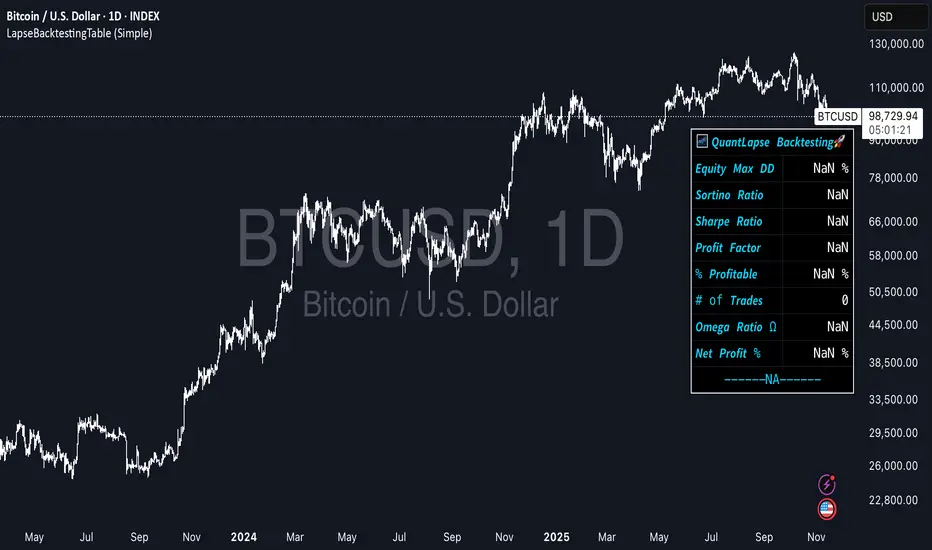
UTBotLibrary "UTBot"
is a powerful and flexible trading toolkit implemented in Pine Script. Based on the widely recognized UT Bot strategy originally developed by Yo_adriiiiaan with important enhancements by HPotter, this library provides users with customizable functions for dynamic trailing stop calculations using ATR (Average True Range), trend detection, and signal generation. It enables developers and traders to seamlessly integrate UT Bot logic into their own indicators and strategies without duplicating code.
Key features include:
Accurate ATR-based trailing stop and reversal detection
Multi-timeframe support for enhanced signal reliability
Clean and efficient API for easy integration and customization
Detailed documentation and examples for quick adoption
Open-source and community-friendly, encouraging collaboration and improvements
We sincerely thank Yo_adriiiiaan for the original UT Bot concept and HPotter for valuable improvements that have made this strategy even more robust. This library aims to honor their work by making the UT Bot methodology accessible to Pine Script developers worldwide.
This library is designed for Pine Script programmers looking to leverage the proven UT Bot methodology to build robust trading systems with minimal effort and maximum maintainability.
UTBot(h, l, c, multi, leng)
Parameters:
h (float) - high
l (float) - low
c (float)-close
multi (float)- multi for ATR
leng (int)-length for ATR
Returns:
xATRTS - ATR Based TrailingStop Value
pos - pos==1, long position, pos==-1, shot position
signal - 0 no signal, 1 buy, -1 sell

AlertSenderLibrary_TradingFinderLibrary "AlertSenderLibrary_TradingFinder"
TODO: add library description here
AlertSender(Condition, Alert, AlertName, AlertType, DetectionType, SetupData, Frequncy, UTC, MoreInfo, Message, o, h, l, c, Entry, TP, SL, Distal, Proximal)
Parameters:
Condition (bool)
Alert (string)
AlertName (string)
AlertType (string)
DetectionType (string)
SetupData (string)
Frequncy (string)
UTC (string)
MoreInfo (string)
Message (string)
o (float)
h (float)
l (float)
c (float)
Entry (float)
TP (float)
SL (float)
Distal (float)
Proximal (float)
WCWebLibLibrary "WCWebLib"
method buildWebhookJson(msg, constants)
Builds the final JSON payload from a webhookMessage type.
Namespace types: webhookMessage
Parameters:
msg (webhookMessage) : (webhookMessage) A prepared webhookMessage.
constants (CONSTANTS)
Returns: A JSON Payload.
method buildTakeProfitJson(msg)
Builds the takeProfit JSON message to be used in a webhook message.
Namespace types: takeProfitMessage
Parameters:
msg (takeProfitMessage)
method buildStopLossJson(msg, constants)
Builds the stopLoss JSON message to be used in a webhook message.
Namespace types: stopLossMessage
Parameters:
msg (stopLossMessage)
constants (CONSTANTS)
CONSTANTS
Constants for payload values.
Fields:
ACTION_BUY (series string)
ACTION_SELL (series string)
ACTION_EXIT (series string)
ACTION_CANCEL (series string)
ACTION_ADD (series string)
SENTIMENT_BULLISH (series string)
SENTIMENT_BEARISH (series string)
SENTIMENT_LONG (series string)
SENTIMENT_SHORT (series string)
SENTIMENT_FLAT (series string)
STOP_LOSS_TYPE_STOP (series string)
STOP_LOSS_TYPE_STOP_LIMIT (series string)
STOP_LOSS_TYPE_TRAILING_STOP (series string)
EXTENDEDHOURS (series bool)
ORDER_TYPE_LIMIT (series string)
ORDER_TYPE_MARKET (series string)
TIF_DAY (series string)
webhookMessage
Final webhook message.
Fields:
ticker (series string)
action (series string)
sentiment (series string)
price (series float)
quantity (series int)
takeProfit (series string)
stopLoss (series string)
extendedHours (series bool)
type (series string)
timeInForce (series string)
takeProfitMessage
Take profit message.
Fields:
limitPrice (series float)
percent (series float)
amount (series float)
stopLossMessage
Stop loss message.
Fields:
type (series string)
percent (series float)
amount (series float)
stopPrice (series float)
limitPrice (series float)
trailPrice (series float)
trailPercent (series float)
RifleShooterLibLibrary "RifleShooterLib"
Provides a collection of helper functions in support of the Rifle Shooter Indicators.
Functions support the key components of the Rifle Trade algorithm including
* measuring momentum
* identifying paraboloic price action (to disable the algorthim during such time)
* determine the lookback criteria of X point movement in last N minutes
* processing and navigating between the 23/43/73 levels
* maintaining a status table of algorithm progress
toStrRnd(val, digits)
Parameters:
val (float)
digits (int)
_isValidTimeRange(startTimeInput, endTimeInput)
Parameters:
startTimeInput (string)
endTimeInput (string)
_normalize(_src, _min, _max)
_normalize Normalizes series with unknown min/max using historical min/max.
Parameters:
_src (float) : Source series to normalize
_min (float) : minimum value of the rescaled series
_max (float) : maximum value of the rescaled series
Returns: The series scaled with values between min and max
arrayToSeries(arrayInput)
arrayToSeries Return an array from the provided series.
Parameters:
arrayInput (array) : Source array to convert to a series
Returns: The array as a series datatype
f_parabolicFiltering(_activeCount, long, shooterRsi, shooterRsiLongThreshold, shooterRsiShortThreshold, fiveMinuteRsi, fiveMinRsiLongThreshold, fiveMinRsiShortThreshold, shooterRsiRoc, shooterRsiRocLongThreshold, shooterRsiRocShortThreshold, quickChangeLookbackBars, quckChangeThreshold, curBarChangeThreshold, changeFromPrevBarThreshold, maxBarsToholdParabolicMoveActive, generateLabels)
f_parabolicFiltering Return true when price action indicates a parabolic active movement based on the provided inputs and thresholds.
Parameters:
_activeCount (int)
long (bool)
shooterRsi (float)
shooterRsiLongThreshold (float)
shooterRsiShortThreshold (float)
fiveMinuteRsi (float)
fiveMinRsiLongThreshold (float)
fiveMinRsiShortThreshold (float)
shooterRsiRoc (float)
shooterRsiRocLongThreshold (float)
shooterRsiRocShortThreshold (float)
quickChangeLookbackBars (int)
quckChangeThreshold (int)
curBarChangeThreshold (int)
changeFromPrevBarThreshold (int)
maxBarsToholdParabolicMoveActive (int)
generateLabels (bool)
rsiValid(rsi, buyThreshold, sellThreshold)
rsiValid Returns true if the provided RSI value is withing the associated threshold. For the unused threshold set it to na
Parameters:
rsi (float)
buyThreshold (float)
sellThreshold (float)
squezeBands(source, length)
squezeBands Returns the squeeze bands momentum color of current source series input
Parameters:
source (float)
length (int)
f_momentumOscilator(source, length, transperency)
f_momentumOscilator Returns the squeeze pro momentum value and bar color states of the series input
Parameters:
source (float)
length (int)
transperency (int)
f_getLookbackExtreme(lowSeries, highSeries, lbBars, long)
f_getLookbackExtreme Return the highest high or lowest low over the look back window
Parameters:
lowSeries (float)
highSeries (float)
lbBars (int)
long (bool)
f_getInitialMoveTarget(lbExtreme, priveMoveOffset, long)
f_getInitialMoveTarget Return the point delta required to achieve an initial rifle move (X points over Y lookback)
Parameters:
lbExtreme (float)
priveMoveOffset (int)
long (bool)
isSymbolSupported(sym)
isSymbolSupported Return true if provided symbol is one of the supported DOW Rifle Indicator symbols
Parameters:
sym (string)
getBasePrice(price)
getBasePrice Returns integer portion of provided float
Parameters:
price (float)
getLastTwoDigitsOfPrice(price)
getBasePrice Returns last two integer numerals of provided float value
Parameters:
price (float)
getNextLevelDown(price, lowestLevel, middleLevel, highestLevel)
getNextLevelDown Returns the next level above the provided price value
Parameters:
price (float)
lowestLevel (float)
middleLevel (float)
highestLevel (float)
getNextLevelUp(price, lowestLevel, middleLevel, highestLevel)
getNextLevelUp Returns the next level below the provided price value
Parameters:
price (float)
lowestLevel (float)
middleLevel (float)
highestLevel (float)
isALevel(price, lowestLevel, middleLevel, highestLevel)
isALevel Returns true if the provided price is onve of the specified levels
Parameters:
price (float)
lowestLevel (float)
middleLevel (float)
highestLevel (float)
getClosestLevel(price, lowestLevel, middleLevel, highestLevel)
getClosestLevel Returns the level closest to the price value provided
Parameters:
price (float)
lowestLevel (float)
middleLevel (float)
highestLevel (float)
f_fillSetupTableCell(_table, _col, _row, _text, _bgcolor, _txtcolor, _text_size)
f_fillSetupTableCell Helper function to fill a setup table celll
Parameters:
_table (table)
_col (int)
_row (int)
_text (string)
_bgcolor (color)
_txtcolor (color)
_text_size (string)
f_fillSetupTableRow(_table, _row, _col0Str, _col1Str, _col2Str, _bgcolor, _textColor, _textSize)
f_fillSetupTableRow Helper function to fill a setup table row
Parameters:
_table (table)
_row (int)
_col0Str (string)
_col1Str (string)
_col2Str (string)
_bgcolor (color)
_textColor (color)
_textSize (string)
f_addBlankRow(_table, _row)
f_addBlankRow Helper function to fill a setup table row with empty values
Parameters:
_table (table)
_row (int)
f_updateVersionTable(versionTable, versionStr, versionDateStr)
f_updateVersionTable Helper function to fill the version table with provided values
Parameters:
versionTable (table)
versionStr (string)
versionDateStr (string)
f_updateSetupTable(_table, parabolicMoveActive, initialMoveTargetOffset, initialMoveAchieved, shooterRsi, shooterRsiValid, rsiRocEnterThreshold, shooterRsiRoc, fiveMinuteRsi, fiveMinuteRsiValid, requireValid5MinuteRsiForEntry, stallLevelOffset, stallLevelExceeded, stallTargetOffset, recoverStallLevelValid, curBarChangeValid, volumeRoc, volumeRocThreshold, enableVolumeRocForTrigger, tradeActive, entryPrice, curCloseOffset, curSymCashDelta, djiCashDelta, showDjiDelta, longIndicator, fontSize)
f_updateSetupTable Manages writing current data to the setup table
Parameters:
_table (table)
parabolicMoveActive (bool)
initialMoveTargetOffset (float)
initialMoveAchieved (bool)
shooterRsi (float)
shooterRsiValid (bool)
rsiRocEnterThreshold (float)
shooterRsiRoc (float)
fiveMinuteRsi (float)
fiveMinuteRsiValid (bool)
requireValid5MinuteRsiForEntry (bool)
stallLevelOffset (float)
stallLevelExceeded (bool)
stallTargetOffset (float)
recoverStallLevelValid (bool)
curBarChangeValid (bool)
volumeRoc (float)
volumeRocThreshold (float)
enableVolumeRocForTrigger (bool)
tradeActive (bool)
entryPrice (float)
curCloseOffset (float)
curSymCashDelta (float)
djiCashDelta (float)
showDjiDelta (bool)
longIndicator (bool)
fontSize (string)